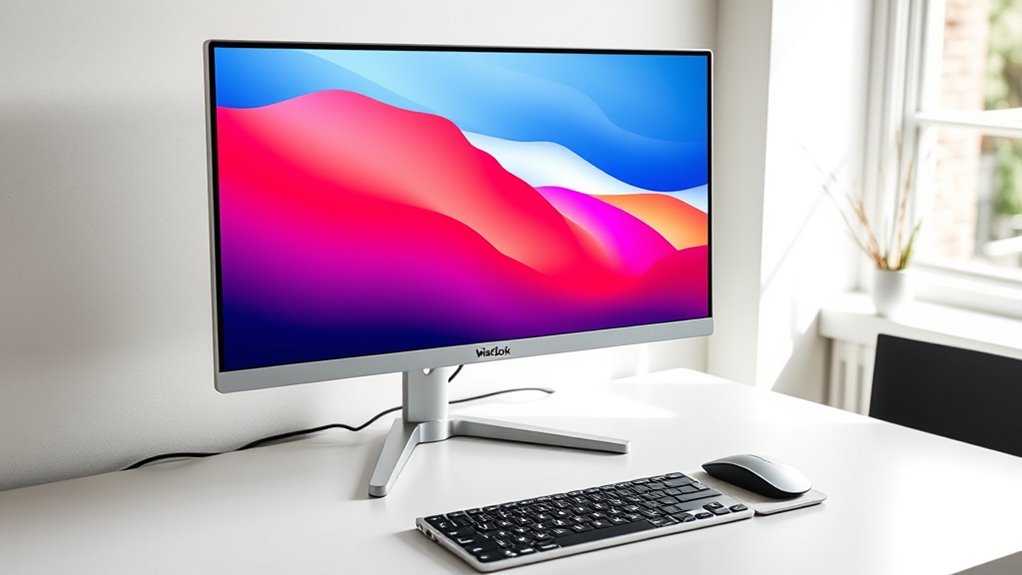

If you own a MacBook Pro, a 5K monitor is the only way to get true Retina-class pixel density on an external display, and the ASUS ProArt PA27JCV is my top pick overall for its 218 PPI sharpness, factory calibration, and reliable USB-C single-cable connection with a MacBook M4. The LG UltraFine 5K remains the most Mac-native option thanks to Thunderbolt 3 and macOS-level brightness control, while the KTC H27P3 delivers genuine 5K resolution at a value price if you can accept a simpler build. The main tradeoffs in this category are Thunderbolt versus USB-C connectivity, color accuracy versus refresh rate, and whether you want standard 16:9 or an ultrawide like the INNOCN 34-inch. Keep reading for the full breakdown of what separates these seven displays.

Get kitchen staples and gadgets delivered free with Prime
- Fast, free delivery on millions of items
- Prime Video, Amazon Music and more included
- Member-only deals all year
Key Takeaways
- The ASUS ProArt PA27JCV earns the top spot because it balances factory-calibrated color accuracy, 218 PPI density, and dependable USB-C behavior with macOS — the combination that matters most for MacBook Pro owners.
- The LG UltraFine 5K is the only display here with Thunderbolt 3, giving it the tightest macOS integration (keyboard brightness controls, native power delivery) — but it is the premium-priced pick and needs a modern Mac to make sense.
- Both KTC 5K models prove that 5120×2880 resolution no longer requires premium spending; the tradeoff is lighter build quality and less refined stands rather than worse image sharpness.
- The INNOCN 34-inch 5K ultrawide is the outlier: it trades Retina-level pixel density for screen real estate and a 120 Hz refresh, making it better for multitaskers and gamers than for photo or video editors.
- The INNOCN 27-inch entry on this list is actually 4K, not 5K — worth knowing because macOS renders 4K at a non-integer scaling that looks slightly softer than true 5K on a MacBook Pro.
| ASUS ProArt PA27JCV 27-Inch 5K Professional Monitor |  | Best Overall for Creative Professionals | Screen Size: 27 inches | Resolution: 5120 x 2880 | Panel: IPS, matte finish | VIEW ON AMAZON | See Our Full Breakdown |
| INNOCN 34C1U 34-Inch 5K Ultrawide Monitor, 120 Hz |  | Best for Multitaskers Who Want 5K Pixels and Ultrawide Space | Screen Size: 34 inches, 21:9 ultrawide | Resolution: 5120 × 2160 | Refresh Rate: 120 Hz | VIEW ON AMAZON | See Our Full Breakdown |
| INNOCN 27-Inch 4K USB-C Monitor for Laptop MacBook/Mac mini |  | Best Budget Stopgap Until You Go 5K | Screen Size: 27 inches | Resolution: 3840 x 2160 (4K UHD) | Panel: IPS | VIEW ON AMAZON | See Our Full Breakdown |
| KTC H27P3 27 Inch 5K Monitor with Dual Mode, HDR 400 |  | Best Value 5K for Mac mini and M4 MacBook Owners | Screen Size: 27 inches | Resolution: 5120 x 2880, 217 PPI | Panel: IPS | VIEW ON AMAZON | See Our Full Breakdown |
| KTC 27-Inch 5K Monitor with Dual Mode and 65W USB-C |  | Best Value for Color-Accurate 5K Work | Screen Size: 27 inches | Resolution Modes: 5120 × 2880 @ 60Hz; 2560 × 1440 @ up to 120Hz | Color Coverage: 99% DCI-P3, 100% sRGB | VIEW ON AMAZON | See Our Full Breakdown |
| LG 27MD5KL-B UltraFine 5K Display Bundle – 27-Inch IPS Monitor with Thunderbolt 3 and USB-C |  | Best Plug-and-Play Mac Integration | Display Size: 27 inches | Resolution: 5120 x 2880 (5K) | Brightness: 500 nits | VIEW ON AMAZON | See Our Full Breakdown |
| ViewSonic VP2788-5K 27-Inch 5K IPS Monitor |  | Best for Color-Critical Professionals | Screen Size: 27 inches | Resolution: 5120 × 2880 (5K) | Panel Type: IPS | VIEW ON AMAZON | See Our Full Breakdown |
| 5k monitors for macbook pro | Screen Size | Resolution | Brightness | Connectivity |
|---|---|---|---|---|
| ASUS ProArt PA27JCV 27-Inch 5K | 27 inches | 5120 x 2880 | — | — |
| INNOCN 34C1U 34-Inch 5K Ultraw | 34 inches, 21:9 ultrawide | 5120 × 2160 | 350 nits, HDR400 ready | — |
| INNOCN 27-Inch 4K USB-C Monito | 27 inches | 3840 x 2160 (4K UHD) | 400 nits | USB-C, DisplayPort, HDMI, 3.5mm audio |
| KTC H27P3 27 Inch 5K Monitor w | 27 inches | 5120 x 2880, 217 PPI | 500 cd/m², HDR 400 | USB-C, HDMI 2.0, DisplayPort 1.4 |
| KTC 27-Inch 5K Monitor with Du | 27 inches | — | 500 cd/m², HDR400 | USB-C, DisplayPort 1.4, HDMI 2.0, 2 × USB-A 3.0 |
| LG 27MD5KL-B UltraFine 5K Disp | — | 5120 x 2880 (5K) | 500 nits | Thunderbolt 3, USB Type-C |
| ViewSonic VP2788-5K 27-Inch 5K | 27 inches | 5120 × 2880 (5K) | — | Thunderbolt 4, USB-C, HDMI, DisplayPort |
More Details on Our Top Picks
ASUS ProArt PA27JCV 27-Inch 5K Professional Monitor
The ProArt PA27JCV is the strongest all-around pick here for MacBook Pro owners who take color work seriously. Its 96W USB-C power delivery is the standout differentiator: it fully charges a 14-inch MacBook Pro, and even keeps a 16-inch model topped up, where the KTC H27P3 and INNOCN 34C1U only offer 65W. Color coverage is also a step above the rest — 99% DCI-P3 plus 95% Adobe RGB with factory calibration to Delta E<2, which matters if you export to print or deliver client work. Compared with the ViewSonic VP2788-5K, the ASUS trades a little prestige for a five-year warranty and a more sensible price position. The tradeoff is straightforward: 60Hz only, and the full warranty requires online registration.
Pros:- 96W USB-C fully charges most MacBook Pro models over one cable
- 95% Adobe RGB coverage rivals far pricier pro displays
- Factory calibrated to Delta E<2 and Calman Verified
- Auto KVM switches keyboard and mouse between two computers
Cons:- 60Hz refresh rate limits appeal for gaming or fast motion
- Full five-year warranty only applies after online registration
Best for: Photographers, video editors, and designers who need Adobe RGB coverage and full MacBook Pro charging over a single cable
Not ideal for: Gamers or anyone wanting motion smoothness — the 60Hz panel and matte finish prioritize accuracy over speed
- Screen Size:27 inches
- Resolution:5120 x 2880
- Panel:IPS, matte finish
- Color Coverage:99% DCI-P3, 100% sRGB, 95% Adobe RGB
- Color Accuracy:Factory calibrated Delta E<2, Calman Verified
- Refresh Rate:60 Hz
- USB-C Power Delivery:96 W
- Features:Auto KVM, ambient light and backlight sensors
- Warranty:5 years with online registration
Our verdict“If your MacBook Pro is primarily a creative workstation, this is the 5K display to beat — nothing else here matches its power delivery and color coverage combination.”
INNOCN 34C1U 34-Inch 5K Ultrawide Monitor, 120 Hz
Most 5K displays in this roundup, like the ASUS ProArt PA27JCV and the LG UltraFine, are 16:9 panels — great for pixel-perfect macOS scaling, but limited in horizontal workspace. The INNOCN 34C1U takes a different route: a 21:9 ultrawide at 5120 × 2160, which suits editors working with long timelines, spreadsheet jockeys, and anyone who lives in side-by-side windows. Its 120Hz refresh rate also makes it the smoothest option here for light gaming, something no other pick in this batch can claim. The catch is that macOS handles 21:9 aspect ratios less gracefully than native 5K 16:9, and the VA panel won’t match the ProArt’s Adobe RGB coverage for print work. The 65W USB-C is adequate for a 14-inch MacBook Pro but underpowered for a 16-inch.
Pros:- 21:9 ultrawide layout fits timelines and multi-window workflows better than 16:9 rivals
- 120Hz refresh rate is the smoothest experience in this lineup
- Full ergonomic stand with height, swivel, and tilt plus VESA mounting
- Broad connectivity including dual HDMI 2.1, DisplayPort, and USB-C
Cons:- VA panel and 106% DCI-P3 trail the ASUS ProArt’s color performance for professional grading
- macOS scaling on a 21:9 panel is less clean than on native 5K 16:9 displays
Best for: multitaskers, video editors, and MacBook Pro owners who value horizontal screen space and smoother motion over strict color fidelity
Not ideal for: Purists wanting true Retina-class pixel scaling on macOS, and 16-inch MacBook Pro users who need full-speed charging — 65W falls short
- Screen Size:34 inches, 21:9 ultrawide
- Resolution:5120 × 2160
- Refresh Rate:120 Hz
- Panel:VA
- Color:106% DCI-P3, Delta E < 2 factory calibrated
- Brightness:350 nits, HDR400 ready
- USB-C Power Delivery:65 W
- Stand:Height, swivel, tilt; VESA 100×100mm
Our verdict“This pick makes the most sense for MacBook Pro users who prioritize workspace and refresh rate over pixel-perfect Retina scaling.”
INNOCN 27-Inch 4K USB-C Monitor for Laptop MacBook/Mac mini
This one is honest about what it is: a 4K display, not 5K, and that distinction matters more on a MacBook Pro than anywhere else. At 27 inches, 4K renders at non-integer scaling in macOS, so text is slightly softer than on the KTC H27P3 or ASUS ProArt PA27JCV, both of which hit true Retina pixel density. What you get in exchange is a dramatically lower cost of entry, a bright 400-nit IPS panel with HDR400, and a genuinely flexible stand with tilt, height, and pivot — better ergonomics than the tilt-only KTC. Connectivity covers USB-C, HDMI, and DisplayPort, so it pairs easily with a Mac mini or MacBook. The 1000:1 contrast is the weakest in this lineup, and it shares the 60Hz ceiling. Think of it as the sensible entry point rather than the destination.
Pros:- Most affordable path to a sharp 27-inch USB-C desktop setup
- HDR400 support and 400-nit brightness at a budget tier
- Full ergonomic stand with tilt, height, and pivot, plus VESA mounting
- Versatile connectivity with USB-C, HDMI, DisplayPort, and audio jack
Cons:- 4K at 27 inches loses the pixel-perfect Retina scaling that defines true 5K Mac displays
- 1000:1 contrast ratio trails every 5K panel in this roundup
Best for: Students, home-office MacBook users, and Mac mini owners who want a sharp big-screen upgrade without paying the 5K premium
Not ideal for: Anyone who has already worked on a true 5K Retina display — the text sharpness gap at 27 inches is noticeable and hard to unsee
- Screen Size:27 inches
- Resolution:3840 x 2160 (4K UHD)
- Panel:IPS
- Brightness:400 nits
- HDR:HDR 400
- Refresh Rate:60 Hz
- Connectivity:USB-C, DisplayPort, HDMI, 3.5mm audio
- Stand:Tilt, height, pivot; VESA 75×75mm
Our verdict“Buy this if budget rules the decision; skip it if pixel-perfect macOS text is the whole reason you wanted 5K.”
KTC H27P3 27 Inch 5K Monitor with Dual Mode, HDR 400
The KTC H27P3 nails the core 5K promise at the friendliest price in this batch: 217 PPI, which delivers the same Retina-class text crispness as the ASUS ProArt PA27JCV at noticeably less cost. For an M4 MacBook Pro or Mac mini, a single full-function USB-C cable handles video, data, and 65W charging — plenty for the base M4 machines, though 16-inch Pro owners will want the ASUS’s 96W. Its differentiator is Dual Mode: 5K at 60Hz for work, or 2K at 120Hz with Adaptive Sync for after-hours gaming, a flexibility no pricier rival here offers. The tradeoffs are real — tilt-only adjustment means budgeting for a VESA arm, and at 500 nits brightness it can outshine its own 2000:1 contrast in dark scenes. Compared with the sibling KTC dual-mode model below, this one’s sRGB-focused gamut trades DCI-P3 breadth for price.
Pros:- 217 PPI delivers genuine Retina-class sharpness at a value price
- Dual Mode offers 5K 60Hz work and 2K 120Hz gaming in one display
- Full-function 65W USB-C keeps an M4 MacBook desk cable-clean
- Three-year warranty with responsive support
Cons:- Tilt-only stand means height and swivel require a VESA arm
- 135% sRGB focus trails the ASUS ProArt’s P3 and Adobe RGB coverage
Best for: M4 Mac mini and 14-inch MacBook Pro owners who want true 5K Retina sharpness and occasional 120Hz gaming on a budget
Not ideal for: Color-critical professionals who need wide DCI-P3 or Adobe RGB coverage, and anyone without a VESA arm who needs height adjustment
- Screen Size:27 inches
- Resolution:5120 x 2880, 217 PPI
- Panel:IPS
- Dual Mode:5K @ 60Hz or 2K @ 120Hz with Adaptive Sync
- Color Gamut:135% sRGB area, 100% sRGB coverage
- Brightness:500 cd/m², HDR 400
- USB-C Power Delivery:65 W
- Connectivity:USB-C, HDMI 2.0, DisplayPort 1.4
- Warranty:3 years
Our verdict“The smartest value for M4 Mac owners who refuse to compromise on pixel density but can live without pro-grade color.”
KTC 27-Inch 5K Monitor with Dual Mode and 65W USB-C
This second KTC entry occupies a smart middle ground: it keeps the dual-mode 5K/2K flexibility of the H27P3 but upgrades the color story to 99% DCI-P3 with ΔE < 2 accuracy, closing most of the gap to the ASUS ProArt PA27JCV while staying cheaper. For a MacBook Pro owner doing photo retouching or design work without needing Adobe RGB, that coverage is the difference between trusting your screen and second-guessing it. The eye-care stack — Flicker-Free, hardware low blue light, and DC dimming — is the most complete in this roundup for long desk sessions. Two caveats temper the pitch: the 2K mode’s maximum refresh rate is listed inconsistently between 120Hz and 160Hz, so buyers should assume the lower figure, and HDMI 2.0 caps out at 4K 60Hz, making USB-C or DisplayPort the only real 5K routes.
Pros:- 99% DCI-P3 with ΔE < 2 accuracy approaches pro-display color at a value price
- Dual Mode covers both 5K productivity and high-refresh 2K use
- Best-in-lineup eye comfort with Flicker-Free, low blue light, and DC dimming
- 65W USB-C handles charging and data over a single cable
Cons:- Advertised 2K refresh rate is ambiguous between 120Hz and 160Hz
- HDMI 2.0 input cannot carry a 5K signal, limiting input options
Best for: Content creators and MacBook Pro users who want wide DCI-P3 color coverage and 5K sharpness without the ProArt price
Not ideal for: Console gamers or HDMI-first setups — HDMI 2.0 can’t carry this display’s full 5K signal
- Screen Size:27 inches
- Resolution Modes:5120 × 2880 @ 60Hz; 2560 × 1440 @ up to 120Hz
- Color Coverage:99% DCI-P3, 100% sRGB
- Color Accuracy:ΔE < 2
- Brightness:500 cd/m², HDR400
- USB-C Power Delivery:65 W
- Connectivity:USB-C, DisplayPort 1.4, HDMI 2.0, 2 × USB-A 3.0
- Eye Care:Flicker-Free, hardware low blue light, DC dimming
Our verdict“The best-value pick when color accuracy matters — it splits the difference between the KTC H27P3’s price and the ASUS ProArt’s color chops.”
LG 27MD5KL-B UltraFine 5K Display Bundle – 27-Inch IPS Monitor with Thunderbolt 3 and USB-C
The LG UltraFine 5K was designed in lockstep with Apple, and it shows: Thunderbolt 3 delivers full 5K video, audio, data, and charging over a single cable, with no adapter roulette. Unlike the ViewSonic VP2788-5K, which leans on industry-standard validation and multi-platform inputs, this display behaves like a native Mac peripheral — brightness and volume respond to macOS keyboard controls, and the built-in camera and speakers slot neatly into a MacBook Pro workflow. Pair it with a MacBook M4 and it wakes, charges, and displays without fuss. The tradeoff is one-sidedness: HDMI and DisplayPort are absent, so Windows PCs, consoles, and most non-Thunderbolt laptops get nothing usable here. You are also paying a premium for that tight integration rather than for extras like ViewSonic’s adjustable ergonomics or the KTC’s dual-mode refresh switching.
Pros:- Native-feeling macOS integration with single-cable 5K video, audio, data, and charging via Thunderbolt 3
- Built-in camera and speakers reduce desk clutter and cable count
- P3 wide color and 500 nits brightness match the MacBook Pro’s own panel character
- Bundle includes a cleaning and care kit for panel maintenance
Cons:- Premium pricing for the Apple-tuned feature set rather than raw versatility
- No HDMI or DisplayPort, so non-Mac sources are effectively unsupported
- Older Thunderbolt 3 standard rather than the Thunderbolt 4 found on newer rivals
Best for: MacBook Pro owners (including M4 models) who want a true single-cable, Apple-tuned 5K desktop with built-in webcam and speakers
Not ideal for: Multi-platform households or anyone connecting Windows machines, consoles, or non-Thunderbolt laptops — the macOS-centric design leaves them stranded
- Display Size:27 inches
- Resolution:5120 x 2880 (5K)
- Brightness:500 nits
- Panel Type:IPS
- Connectivity:Thunderbolt 3, USB Type-C
- Color Gamut:P3 wide
- Built-in Camera:Yes
- Built-in Speakers:Yes
- Included Accessories:Cleaning and Care Kit
Our verdict“This pick makes the most sense for MacBook Pro users who want the closest thing to an Apple-made 5K display and never plan to plug in anything else.”
ViewSonic VP2788-5K 27-Inch 5K IPS Monitor
Where the LG UltraFine 5K wins on Apple-style convenience, the ViewSonic VP2788-5K wins on calibration credibility. Pantone Validated color accuracy with 100% sRGB and 99% DCI-P3 coverage makes this the stronger choice for photographers, designers, and print-adjacent work where a validator’s stamp carries weight. Its Thunderbolt 4 port pushes up to 100W of power delivery — enough to fast-charge a MacBook Pro while driving the display — and daisy-chaining supports a second 5K monitor, something no other pick here offers. Add HDMI and DisplayPort alongside the KTC H27P3’s USB-C-only flexibility, and you get genuine multi-device freedom. The tradeoff: it lacks the LG’s built-in camera and speakers, and macOS-specific touches, so it feels more like a professional tool than a Mac accessory. Buyers after pure simplicity may find the extra ports and daisy-chain capability go unused.
Pros:- Pantone Validated accuracy with 100% sRGB and 99% DCI-P3 coverage for color-critical work
- Thunderbolt 4 delivers up to 100W power delivery and daisy chaining for two 5K monitors
- HDMI and DisplayPort alongside Thunderbolt 4 and USB-C support mixed device setups
- Fully adjustable stand with tilt, swivel, rotation, and height — no aftermarket arm needed
Cons:- No built-in camera or speakers, unlike the LG UltraFine 5K bundle
- Lacks macOS-specific conveniences like keyboard-controlled brightness and volume
- Daisy chaining requires compatible downstream hardware that many setups won’t have
Best for: Color-critical creatives and MacBook M4 Pro/Max owners who want validated accuracy, 100W charging, and room to expand to dual 5K displays
Not ideal for: Buyers who want an all-in-one Apple-style experience — no webcam or speakers, and its daisy-chain and multi-input strengths go to waste in a simple single-Mac setup
- Screen Size:27 inches
- Resolution:5120 × 2880 (5K)
- Panel Type:IPS
- Color Coverage:100% sRGB, 99% DCI-P3
- Color Validation:Pantone Validated
- Thunderbolt 4:40 Gbps data transfer; up to 100W power delivery
- Daisy Chaining:Supports up to two 5K monitors
- Connectivity:Thunderbolt 4, USB-C, HDMI, DisplayPort
- Stand Adjustments:Tilt, swivel, rotation, and height
Our verdict“This model is better suited to professionals who put validated color accuracy and expansion potential above plug-and-play Mac polish.”

How We Picked
I evaluated each display through the specific lens of a MacBook Pro user: pixel density and macOS rendering behavior came first, because macOS looks its sharpest at true 218 PPI 5K resolution and anything else forces scaled output. From there I weighed connectivity — Thunderbolt 3 versus USB-C, power delivery wattage, and whether a single cable can charge the laptop and drive the screen. Color accuracy and calibration mattered heavily since MacBook Pro buyers skew toward creative work, so factory calibration and gamut coverage separated the professional picks from the value picks. Finally, I factored in build quality, stand ergonomics, and refresh rate as differentiators once the basics were met.
The ranking reflects a simple hierarchy: displays that nail the MacBook pairing — sharp native rendering, clean single-cable use, accurate color — sit at the top, while options that compromise on one of those pillars fill specific niches. The LG UltraFine placed second despite its premium price because Thunderbolt integration is genuinely better with macOS, and the budget 5K models rank lower not for resolution but for the surrounding experience: stands, OSD controls, and calibration out of the box.
| 5k monitors for macbook pro | Panel | Connectivity |
|---|---|---|
| ASUS ProArt PA27JCV 27-Inch 5K | IPS, matte finish | — |
| INNOCN 34C1U 34-Inch 5K Ultraw | VA | — |
| INNOCN 27-Inch 4K USB-C Monito | IPS | USB-C, DisplayPort, HDMI, 3.5mm audio |
| KTC H27P3 27 Inch 5K Monitor w | IPS | USB-C, HDMI 2.0, DisplayPort 1.4 |
| KTC 27-Inch 5K Monitor with Du | — | USB-C, DisplayPort 1.4, HDMI 2.0, 2 × USB-A 3.0 |
| LG 27MD5KL-B UltraFine 5K Disp | — | Thunderbolt 3, USB Type-C |
| ViewSonic VP2788-5K 27-Inch 5K | — | Thunderbolt 4, USB-C, HDMI, DisplayPort |
Factors to Consider When Choosing 5k Monitors For Macbook Pro
Buying a 5K monitor for a MacBook Pro involves a few Mac-specific decisions that don’t apply to Windows users. These are the factors that actually change how the display behaves day to day.True 5K versus Scaled Resolution
Apple designed macOS around displays that hit roughly 218 pixels per inch, which is exactly what a 5120×2880 panel at 27 inches delivers. When you connect a lower-resolution panel, macOS has to scale the interface, and the result is text that looks slightly soft or fuzzy compared to your MacBook’s built-in screen — a common disappointment for first-time external monitor buyers. A true 5K panel renders at a perfect 2x Retina scale, so everything looks as crisp as the laptop display itself. This is also why a 4K monitor, like the INNOCN 27-inch on this list, is a different product category in practice: at 27 inches it sits around 163 PPI, which macOS handles well but not perfectly. If text sharpness is your priority, true 5K is the entire point of the purchase.
Thunderbolt 3 versus USB-C
Every monitor here connects over USB-C in some form, but Thunderbolt 3 — found only on the LG UltraFine in this lineup — carries extra benefits for Mac users. Thunderbolt allows the display to hook into macOS more deeply, enabling native keyboard brightness and volume controls and daisy-chaining other peripherals. Standard USB-C with DisplayPort Alt Mode works perfectly well for image and audio, but you’ll adjust settings through the monitor’s own OSD buttons instead. One practical note: a single USB-C cable that carries video, data, and charging is the single biggest quality-of-life upgrade for a MacBook Pro desk setup, so check the power delivery wattage — 65W is enough for a 14-inch MacBook Pro, while 16-inch models under heavy load prefer 90W or more.
Color Accuracy for Creative Work
MacBook Pro buyers disproportionately work in photo, video, and design, and not all 5K panels are built for that. Look for factory calibration reports, Delta E ratings under 2, and coverage of standard gamuts like sRGB, Display P3, and Adobe RGB. Professional lines like the ASUS ProArt and ViewSonic ViewColor ship with per-unit calibration, which saves you the cost of a colorimeter and the hassle of profiling the panel yourself. The value-oriented panels can still look excellent after manual calibration, but out-of-the-box accuracy varies more from unit to unit. If your work goes to print or client review, that variance is where the price difference between tiers actually shows up.
Refresh Rate: 60 Hz Is Fine, 120 Hz Is a Luxury
Most 5K monitors run at 60 Hz because pushing 14.7 million pixels is demanding — even an M-series MacBook Pro needs bandwidth headroom to drive 5K at higher refresh rates. The INNOCN 34-inch ultrawide is the exception here with 120 Hz, and ProMotion-era Mac users will notice the smoother scrolling immediately. Be honest about whether refresh rate matters to you: for photo editing, writing, and general productivity, 60 Hz at 5K looks superb. For gaming on an M4 Pro or Max, or if you simply prefer fluid motion, a high-refresh panel changes the experience enough to justify its tradeoff in pixel density.
Panel Size and Aspect Ratio Tradeoffs
At true 5K, 27 inches is the sweet spot because that’s where Retina density lands exactly. Larger panels like the 34-inch ultrawide spread those pixels across more area, dropping density below the Retina threshold — still sharp, but not identical to your MacBook’s screen. Ultrawide fans get massive horizontal workspace that’s wonderful for timelines, spreadsheets, and side-by-side apps, at the cost of some scaling purity. A common mistake is assuming bigger is always better for a Mac; if pixel-perfect text is why you’re buying, 27 inches at 5K is the format macOS was designed around. If workspace is the goal, the ultrawide earns its place.
Stand, Build, and Total Desk Cost
Value-tier 5K monitors often cut costs where you notice it later: wobbly stands, limited height adjustment, or plastic build that flexes when you type. Check whether the stand offers height, tilt, and rotation adjustment, or budget for a VESA arm — most of these monitors support VESA mounting, and a good arm often improves the setup more than a pricier panel would. Also factor in cables: not every monitor includes a full-featured USB-C cable rated for 5K bandwidth, and using an old charging cable is the number-one cause of ‘my monitor looks wrong’ complaints. The total cost of monitor plus arm plus cables is the real number to compare between tiers.
Frequently Asked Questions
Do I need a Thunderbolt monitor, or is USB-C enough for a MacBook Pro?
Standard USB-C with DisplayPort Alt Mode is enough for the vast majority of users — it carries full 5K video, audio, data, and charging over one cable. Thunderbolt 3, which the LG UltraFine offers, adds deeper macOS integration like keyboard-controlled brightness and volume, plus the ability to daisy-chain Thunderbolt accessories. If you already own Thunderbolt drives or a dock, that integration is worth paying for. If your setup is just laptop plus monitor, a well-built USB-C display like the ASUS ProArt or KTC will feel identical in daily use. Match the connectivity to your existing gear rather than paying for capability you won’t use.
Will a 5K monitor look better than a 4K monitor with my MacBook Pro?
Yes, and the difference is more noticeable on a Mac than on a Windows machine. A 27-inch 5K panel hits 218 PPI, which lets macOS render at a perfect 2x Retina scale — text and interface elements look exactly as crisp as your MacBook’s built-in display. A 27-inch 4K panel runs at roughly 163 PPI, forcing macOS to use a scaled resolution that produces slightly soft text. Some users barely notice it; writers and editors who stare at text all day usually do. If your work is primarily video or photo viewing, 4K can be perfectly satisfying and saves money — but for pixel-perfect text, 5K is the reason this category exists.
Can an M4 MacBook Pro drive these 5K monitors at full resolution?
Yes — every current Apple silicon MacBook Pro, including the base M4, drives a single 5K display at 60 Hz without issue over USB-C or Thunderbolt. The demands increase with refresh rate and multi-monitor setups: 5K at 120 Hz, like the INNOCN ultrawide’s capability, is better supported on M4 Pro and Max chips with more display bandwidth. If you plan to run two 5K monitors side by side, check Apple’s external display specs for your exact chip, because the base models limit simultaneous high-resolution outputs. For a single 5K screen at 60 Hz, even the entry M4 handles it comfortably while charging over the same cable.
Is the LG UltraFine 5K worth the premium price over the KTC or ASUS options?
It depends entirely on how much you value the Apple ecosystem experience. The UltraFine’s Thunderbolt 3 connection gives you keyboard brightness and volume controls, tight color coordination with macOS, and a design language that matches the Mac itself — for many owners that cohesion justifies the cost. However, the ASUS ProArt matches or beats it on color accuracy out of the box at a lower price, and the KTC delivers the same 218 PPI sharpness for far less money. Where the UltraFine makes sense is a Mac-only household where the premium buys the smoothest possible integration. Where it doesn’t is a mixed setup with Windows machines or consoles, where its Mac-specific advantages go unused.
Is 65W USB-C power delivery enough to charge a MacBook Pro?
For a 14-inch MacBook Pro, 65W is generally sufficient — it covers typical workloads and slowly tops up the battery under heavy load. For a 16-inch MacBook Pro, 65W will maintain or slowly drain the battery during demanding tasks like video exports or sustained GPU work, even though the machine won’t die. If you own the larger model, look for monitors delivering 90W or more, or accept that you may occasionally need the Apple charger alongside. This is one of the quiet differences between the value and premium tiers in this lineup, so check the power delivery spec before buying rather than discovering it later. Running a MacBook Pro slightly under its preferred wattage does no harm; it just charges slower.
Conclusion
The right 5K monitor depends on which MacBook owner you are. For best overall, the ASUS ProArt PA27JCV is the pick I’d point most buyers toward — true 218 PPI Retina sharpness, factory calibration, and dependable single-cable USB-C behavior with an M4 MacBook Pro, all without the premium pricing of the Thunderbolt options. For best premium, the LG UltraFine 5K buys the tightest macOS integration on the market and suits Apple-centric workspaces where that cohesion matters. For best value, the KTC H27P3 proves genuine 5K resolution doesn’t require a big spend, as long as you accept a simpler stand and build.
For beginners and budget-conscious buyers, the INNOCN 27-inch USB-C monitor is the easiest entry point into single-cable desk setups — just go in knowing it’s 4K rather than 5K. For specific needs: the ViewSonic VP2788-5K targets color-critical professionals who want a calibrated alternative to the ASUS, the INNOCN 34-inch 5K ultrawide is built for multitaskers and gamers who prioritize workspace and 120 Hz motion over pure pixel density, and the second KTC 5K with Dual Mode suits users who want flexibility between high-resolution and high-refresh modes. Whatever you choose, prioritize the pairing that matches your Mac: true 5K for text sharpness, Thunderbolt for integration, and enough wattage to keep your MacBook charged.
Halloween Picks
halloween
As an affiliate, we earn on qualifying purchases.