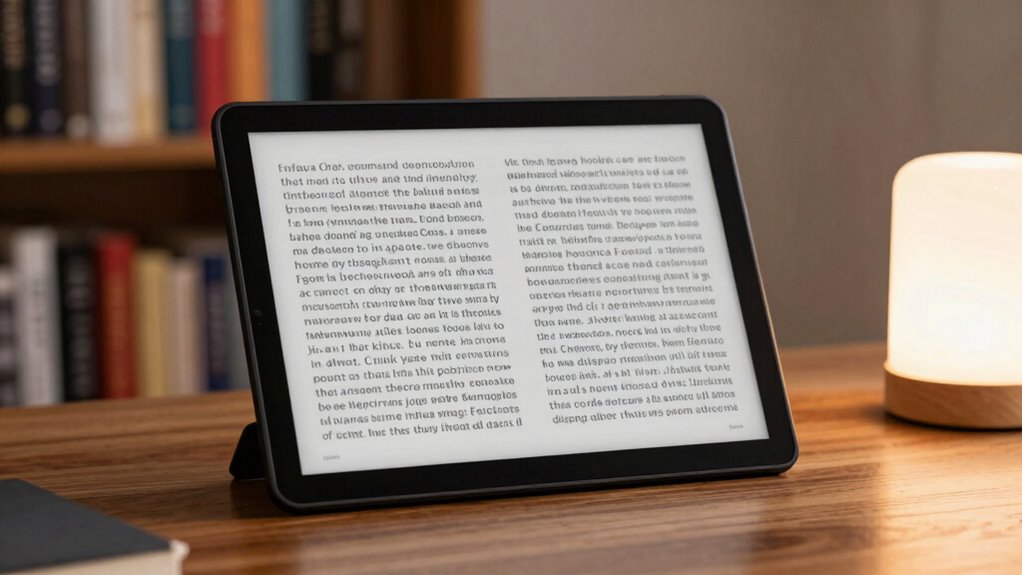

For a large-screen e-reader, I’d choose the Kindle Scribe Colorsoft 64GB as the best overall fit: its 11-inch color display and included pen suit both reading and note-taking. The Kindle Scribe 32GB is a simpler writing-focused alternative, while the Paperwhite Signature Edition offers a more portable reading experience with extra storage and hands-free lighting. The main tradeoff is screen area versus weight and one-handed comfort; color and pen support also matter only if your reading habits call for them. This lineup ranges from compact 6.8- and 7-inch Kindles to 11-inch Scribe models, so a larger screen does not automatically mean a better match. Read on for the full comparison and guidance on choosing the right size and features.

Get kitchen staples and gadgets delivered free with Prime
- Fast, free delivery on millions of items
- Prime Video, Amazon Music and more included
- Member-only deals all year
Key Takeaways
- The two 11-inch Scribes are the clear picks for screen area. Their larger displays and included pens suit annotation and writing better than the 6.8- and 7-inch Kindles.
- Color and writing are separate reasons to upgrade. The Scribe Colorsoft models combine color with a pen; the 11-inch Kindle Scribe offers a large writing surface without a color display.
- The Paperwhite models prioritize a more manageable reading device. Their smaller screens are easier to carry than an 11-inch Scribe, with waterproofing on the listed 11th-generation model.
- Several entries are close variants, not entirely different choices. The two Scribe Colorsoft listings share key stated features, while the 2023 Paperwhite and 11th-generation Paperwhite need careful model-year comparison.
- Storage and edition features matter after screen size is settled. Choose 32GB or 64GB when your library or files call for it; a bigger storage number does not make the display larger.
| Kindle Scribe Colorsoft 64GB (Newest Model) – 11″ Color Display with Pen |  | Best Overall Large-Screen Reader | Display: 11-inch Colorsoft with front light; 300 ppi black and white, 150 ppi color | Dimensions: 7.4 × 9.6 × 0.21 inches | Weight: 14.1 oz | VIEW ON AMAZON | See Our Full Breakdown |
| Kindle Paperwhite (16 GB) – 11th Generation, Waterproof, Adjustable Warm Light, 6.8″ Display |  | Best for Comfortable Text Reading | Display: 6.8-inch glare-free display, 300 ppi | Storage: 16 GB | Battery life: Up to 10 weeks | VIEW ON AMAZON | See Our Full Breakdown |
| Amazon Kindle Colorsoft 16 GB E-Reader, 7-inch Color Display, Black |  | Best Compact Color Reader | Display: 7-inch Colorsoft; 300 ppi black and white, 150 ppi color | Storage: 16 GB | Dimensions: 5 × 7 × 0.3 inches | VIEW ON AMAZON | See Our Full Breakdown |
| Amazon Kindle Scribe Colorsoft 64GB with 11-Inch Color Display and Premium Pen, Graphite |  | Best for Handwritten Notes and Documents | Display: 11-inch Colorsoft; 300 ppi black and white, 150 ppi color, 16-level grayscale | Dimensions: 7.4 × 9.6 × 0.21 inches, excluding feet | Weight: 14.1 oz (400 g) | VIEW ON AMAZON | See Our Full Breakdown |
| Amazon Kindle 16 GB (latest model) |  | Best Lightweight Entry Pick | Display: 6-inch glare-free | Front light: 25% brighter | Storage: 16 GB | VIEW ON AMAZON | See Our Full Breakdown |
| Amazon Kindle Scribe, 32 GB, 11-Inch Display with Front Light and Premium Pen, Graphite |  | Best for Reading and Handwriting | Display: 11-inch glare-free display with built-in light, 300 ppi, 16-level grayscale | Storage: 32 GB (23 GB available to user) | Dimensions: 7.4 × 9.6 × 0.21 inches (189 × 245 × 5.4 mm), excluding feet | VIEW ON AMAZON | See Our Full Breakdown |
| Kindle Paperwhite 16GB (2023 Model) |  | Best for Waterproof Everyday Reading | Display: 7-inch glare-free display | Storage: 16 GB | Battery life: Up to 12 weeks | VIEW ON AMAZON | See Our Full Breakdown |
| Amazon Kindle Paperwhite Signature Edition (2024), 32 GB, Metallic Raspberry |  | Best Premium Compact Paperwhite | Display: 7-inch Paperwhite, 300 ppi, 16-level grayscale | Storage: 32 GB | Dimensions: 5 × 7 × 0.3 in (127.6 × 176.7 × 7.8 mm) | VIEW ON AMAZON | See Our Full Breakdown |
| e reader large screen | Display | Storage | Battery life | Dimensions |
|---|---|---|---|---|
| Kindle Scribe Colorsoft 64GB | 11-inch Colorsoft with front light; 300 ppi black and white, 150 ppi color | 64 GB total; 50 GB available | — | 7.4 × 9.6 × 0.21 inches |
| Kindle Paperwhite | 6.8-inch glare-free display, 300 ppi | 16 GB | Up to 10 weeks | 6.9 × 4.9 × 0.32 inches |
| Amazon Kindle Colorsoft 16 GB | 7-inch Colorsoft; 300 ppi black and white, 150 ppi color | 16 GB | Up to 8 weeks under stated usage conditions | 5 × 7 × 0.3 inches |
| Amazon Kindle Scribe Colorsoft | 11-inch Colorsoft; 300 ppi black and white, 150 ppi color, 16-level grayscale | 64 GB total; approximately 50 GB available | Up to 8 weeks of reading per charge under specified settings | 7.4 × 9.6 × 0.21 inches, excluding feet |
| Amazon Kindle 16 GB | 6-inch glare-free | 16 GB | Up to 6 weeks | — |
| Amazon Kindle Scribe | 11-inch glare-free display with built-in light, 300 ppi, 16-level grayscale | 32 GB (23 GB available to user) | Up to 12 weeks for reading or 3 weeks for writing under specified use conditions | 7.4 × 9.6 × 0.21 inches (189 × 245 × 5.4 mm), excluding feet |
| Kindle Paperwhite 16GB | 7-inch glare-free display | 16 GB | Up to 12 weeks | — |
| Amazon Kindle Paperwhite Signa | 7-inch Paperwhite, 300 ppi, 16-level grayscale | 32 GB | Up to 12 weeks under specified reading conditions | 5 × 7 × 0.3 in (127.6 × 176.7 × 7.8 mm) |
More Details on Our Top Picks
Kindle Scribe Colorsoft 64GB (Newest Model) – 11″ Color Display with Pen
For readers who want a genuinely large e-reader for both books and working documents, the 11-inch Kindle Scribe Colorsoft is the most capable fit in this group. Its spacious color display gives PDFs and illustrated pages more room than the 7-inch Kindle Colorsoft, while the included Premium Pen makes margin notes and handwriting practical rather than an afterthought. The front light and glare-free screen also suit reading in varied lighting. The tradeoff is that color content renders at 150 ppi, below the 300 ppi available for black-and-white pages, and its 14.1-ounce body is less convenient to hold one-handed than the compact Kindles. I’d choose it for reading and annotating at a desk or in a bag, not for pocketable, primarily text-only reading.
Pros:- 11-inch color display provides more working room for documents and illustrated reading
- Included Premium Pen has an eraser and shortcut button
- Supports document importing, exporting, and annotation
- 64 GB total storage, with approximately 50 GB available
Cons:- Color content is 150 ppi, lower resolution than black-and-white content
- At 14.1 ounces, it is considerably less portable than the 7-inch Kindle Colorsoft
- Some document formats are supported only in specific forms, such as unprotected MOBI
Best for: Readers and students who want a large screen for PDFs, color pages, handwritten notes, and document markup.
Not ideal for: Commuters who prioritize a compact, one-handed reader or readers who mainly want an inexpensive device for plain-text books.
- Display:11-inch Colorsoft with front light; 300 ppi black and white, 150 ppi color
- Dimensions:7.4 × 9.6 × 0.21 inches
- Weight:14.1 oz
- Storage:64 GB total; 50 GB available
- Connectivity:Dual-band 2.4 GHz and 5.0 GHz Wi-Fi
- Supported formats:AZW3, AZW, TXT, PDF, MOBI, EPUB, DOCX, DOC, HTML, RTF, JPEG, GIF, PNG, BMP, AAX
- Battery:Weeks of use on a single charge
- Included:Premium Pen, USB-C cable, replacement tips
Our verdict“Choose this Scribe if you want the most versatile large-screen option here for reading, color content, and pen-based document work.”
Kindle Paperwhite (16 GB) – 11th Generation, Waterproof, Adjustable Warm Light, 6.8″ Display
The Kindle Paperwhite’s 6.8-inch, 300 ppi display is a strong choice for long sessions with novels and other text, but it is not a large-screen reader in the same sense as the 11-inch Scribe models. Compared with the Kindle Scribe Colorsoft, it gives up space for PDFs, handwriting, and color in exchange for a lighter, easier-to-hold device. Adjustable warm light helps tailor the screen for evening reading, and IPX8 waterproofing makes it a better fit for the bath or beach than the standard Kindle, which has no waterproof rating listed. Its 16 GB storage suits a substantial book library, though this model does not provide the Scribe’s pen or document workspace. Pick it for portable reading comfort, not for expansive page layouts.
Pros:- 6.8-inch glare-free display with 300 ppi resolution
- Adjustable warm light for reading across different lighting conditions
- IPX8 waterproof design
- Battery life listed at up to 10 weeks
Cons:- Smaller display offers much less room for documents than the 11-inch Kindle Scribe Colorsoft
- No pen input or color display
- Supports Wi-Fi but has no cellular connectivity option listed
Best for: Avid novel readers who want a sharp, warm-light screen and waterproofing in a device they can hold comfortably.
Not ideal for: Readers who need an 11-inch canvas for PDFs, handwriting, or detailed color pages.
- Display:6.8-inch glare-free display, 300 ppi
- Storage:16 GB
- Battery life:Up to 10 weeks
- Waterproofing:IPX8
- Weight:7.23 oz (205 g)
- Dimensions:6.9 × 4.9 × 0.32 inches
- Connectivity:2.4 GHz and 5.0 GHz Wi-Fi
- Charging:Less than 2.5 hours with a 9W charger
Our verdict“Choose the Paperwhite if comfortable, waterproof text reading matters more than the large working area of a Scribe.”
Amazon Kindle Colorsoft 16 GB E-Reader, 7-inch Color Display, Black
The 7-inch Kindle Colorsoft brings color reading to a more portable format than the 11-inch Scribe Colorsoft. Its five highlight colors, adjustable lighting, and dark mode are useful for illustrated books and color-coded reading notes, while IPX8 waterproofing makes it suitable for reading near water. The smaller screen is the main distinction: it fits comfortably into a travel routine, but gives PDFs and detailed pages less room than either Scribe. Color resolution is 150 ppi, so color images are not as crisp as its 300 ppi black-and-white text. Unlike the Scribe, it does not include a pen or provide the same large writing surface. I’d pick this for portable color reading, and skip it if your priority is document markup or a truly expansive page.
Pros:- 7-inch color display supports five highlight colors
- Adjustable white-to-amber lighting and dark mode
- IPX8 waterproofing
- USB-C charging and up to eight weeks of battery life under stated conditions
Cons:- 150 ppi color resolution is lower than the 300 ppi black-and-white resolution
- Smaller screen provides less document room than the 11-inch Kindle Scribe Colorsoft
- Battery life can decrease with activities such as Audible streaming over Bluetooth
Best for: Readers who want color highlights and illustrated books in a compact, waterproof e-reader for travel.
Not ideal for: Students and professionals who need a large surface for PDF reading, handwriting, or detailed document annotation.
- Display:7-inch Colorsoft; 300 ppi black and white, 150 ppi color
- Storage:16 GB
- Dimensions:5 × 7 × 0.3 inches
- Weight:7.6 oz (215 g)
- Battery life:Up to 8 weeks under stated usage conditions
- Waterproofing:IPX8; tested for immersion in 2 meters of fresh water for 60 minutes
- Connectivity:2.4 GHz and 5.0 GHz Wi-Fi; Bluetooth audio
- Charging:USB-C; less than 2.5 hours with a 9W adapter
Our verdict“Choose this model for portable color reading and highlighting, but choose a Scribe if you need a large screen for writing or documents.”
Amazon Kindle Scribe Colorsoft 64GB with 11-Inch Color Display and Premium Pen, Graphite
This 11-inch Kindle Scribe Colorsoft is especially well suited to readers who treat an e-reader as a document workspace: the large front-lit screen supports reading, handwriting, and markup, and the included Premium Pen requires no charging. Its 64 GB capacity, with about 50 GB available, also gives document-heavy users more room than the 16 GB Kindle Colorsoft. AI note tools and cloud file imports add practical ways to organize reading and writing tasks. The tradeoffs are familiar for a large color e-reader: color content is 150 ppi rather than 300 ppi, and the 14.1-ounce device is not as easy to carry or hold as the 7-inch model. It also cannot connect to ad-hoc or peer-to-peer Wi-Fi networks. Choose it for pen work, not simply to read novels on a larger screen.
Pros:- 11-inch front-lit color screen gives documents and notes ample space
- Included Premium Pen supports handwriting, erasing, and shortcuts without charging
- Supports handwriting, document markup, and cloud file imports
- 64 GB total storage, with approximately 50 GB available
Cons:- Color resolution is 150 ppi, below the 300 ppi black-and-white resolution
- The 14.1-ounce body is less convenient to hold for long one-handed reading sessions
- Does not connect to ad-hoc or peer-to-peer Wi-Fi networks
Best for: Readers, researchers, and students who regularly annotate PDFs, keep handwritten notes, and manage imported documents.
Not ideal for: Buyers who mainly read plain-text books, want a small travel reader, or rely on ad-hoc and peer-to-peer Wi-Fi.
- Display:11-inch Colorsoft; 300 ppi black and white, 150 ppi color, 16-level grayscale
- Dimensions:7.4 × 9.6 × 0.21 inches, excluding feet
- Weight:14.1 oz (400 g)
- Storage:64 GB total; approximately 50 GB available
- Included pen:Premium Pen, 0.6 oz (17 g); no charging required
- Connectivity:Dual-band 2.4 GHz and 5.0 GHz Wi-Fi
- Supported formats:AZW3, AZW, TXT, PDF, unprotected MOBI, PRC, DOCX, DOC, HTML, EPUB, RTF, JPEG, GIF, PNG, BMP, AAX
- Battery life:Up to 8 weeks of reading per charge under specified settings
- Included accessories:USB-C charging cable and replacement pen tips
Our verdict“Choose this Scribe configuration if handwritten notes and document markup are central to your reading, rather than occasional extras.”
Amazon Kindle 16 GB (latest model)
The standard 6-inch Kindle is the lightest, simplest option here, not a large-screen specialist. Its glare-free display, brighter front light, and 16 GB storage make it a straightforward choice for carrying a library of text and audiobooks, while the recycled materials and recyclable packaging may appeal to buyers who factor materials into a purchase. Compared with the 6.8-inch Kindle Paperwhite, it has less screen space and no waterproofing listed, but its smaller format better suits pockets and one-handed reading. It also lacks the color display and pen support of the Kindle Scribe Colorsoft models. The up-to-six-week battery estimate is shorter than the Paperwhite’s stated figure. I’d choose it for simple, portable reading; it is the wrong pick for large pages, color content, or document annotation.
Pros:- Compact 6-inch glare-free display suits portable, one-handed reading
- Front light is described as 25% brighter
- 16 GB storage for books and audiobooks
- Uses recycled plastics and magnesium, with recyclable packaging
Cons:- 6-inch screen offers far less reading and document space than either Kindle Scribe Colorsoft
- No color display or pen input
- Waterproofing is not listed, and its battery life is shorter than the Paperwhite’s stated up-to-10-week figure
Best for: First-time Kindle buyers and frequent travelers who want a compact, lightweight device for books and audiobooks.
Not ideal for: Readers seeking a genuinely large display, color reading, waterproofing, or handwriting and document markup.
- Display:6-inch glare-free
- Front light:25% brighter
- Storage:16 GB
- Battery life:Up to 6 weeks
- Materials:75% recycled plastics; 90% recycled magnesium
- Packaging:100% recyclable
Our verdict“Choose the standard Kindle for simple, portable reading, not if a large screen is the reason you’re shopping.”
Amazon Kindle Scribe, 32 GB, 11-Inch Display with Front Light and Premium Pen, Graphite
For readers who want a genuinely large e-reader screen for both books and documents, the 11-inch, 300 ppi display gives the Kindle Scribe room for PDFs, notes, and page layouts that feel cramped on the 7-inch Kindle Paperwhite Signature Edition. Its built-in light supports reading across different lighting conditions, while the included Premium Pen needs no charging and has a built-in eraser, making margin notes and handwritten notebooks easier to manage. Search, summarize, and convert tools add practical ways to work with notes, and imported documents can be marked up and exported as PDFs.
The tradeoff is size: at 14.1 ounces, it is less convenient to hold for long stretches than either Paperwhite. Its battery estimate also differs by activity—up to 12 weeks reading versus three weeks writing under specified conditions—and annotation can shorten it. I would choose it over the smaller Paperwhite models for documents and handwriting, but skip it if I mainly wanted a lightweight book reader.
Pros:- 11-inch, 300 ppi glare-free display gives documents and notes more usable space than the 7-inch Paperwhites
- Included Premium Pen has a built-in eraser and shortcut button and requires no charging
- Built-in tools can search, summarize, and convert notes
- Supports document import, markup, and PDF export
Cons:- At 14.1 ounces, it is considerably less convenient to hold than the 7.5-ounce Paperwhite Signature Edition
- Battery life is shorter for writing than reading and can fall with annotation use
- Does not support ad-hoc or peer-to-peer Wi-Fi networks
Best for: Readers, students, and document reviewers who want a large screen for PDFs, handwritten notes, and regular ebook reading in one device.
Not ideal for: Readers who prioritize a light, pocketable device for novels or want a waterproof e-reader; the Scribe is larger and has no waterproofing listed.
- Display:11-inch glare-free display with built-in light, 300 ppi, 16-level grayscale
- Storage:32 GB (23 GB available to user)
- Dimensions:7.4 × 9.6 × 0.21 inches (189 × 245 × 5.4 mm), excluding feet
- Weight:14.1 oz (400 g)
- Included pen:Premium Pen, 0.6 oz (17 g), with built-in eraser and shortcut button; no charging required
- Connectivity:Dual-band Wi-Fi (2.4 GHz and 5 GHz)
- Battery life:Up to 12 weeks for reading or 3 weeks for writing under specified use conditions
- Supported formats:AZW3, AZW, TXT, PDF, unprotected MOBI, PRC, AAX; additional formats supported through conversion
Our verdict“Choose the Kindle Scribe if a large reading surface and pen-based document work matter more than a light, travel-friendly form.”
Kindle Paperwhite 16GB (2023 Model)
The 2023 Kindle Paperwhite is the straightforward choice for readers who want a dependable screen for books, not a large workspace for documents. Its 7-inch glare-free display and higher contrast make text comfortable in bright conditions, while faster page turns keep reading fluid. Waterproofing and an estimated up to 12 weeks of battery life suit holidays, commutes, and reading near water—useful strengths the much larger Kindle Scribe does not offer in its listed specs.
That compact screen is also the main limitation in a roundup about large-screen e-readers: it shows less text and gives PDFs less room than the Scribe’s 11-inch display. The 16 GB capacity is half the Signature Edition’s 32 GB, and the supplied information lists only white and amber lighting modes rather than an auto-adjusting front light. I would pick this model over the Scribe when easy carrying and waterproof book reading come first, but it is the wrong fit for handwriting or spacious document markup.
Pros:- Waterproof design suits poolside, bath, and outdoor reading
- 7-inch glare-free screen with higher contrast and faster page turns
- Battery life rated up to 12 weeks under specified conditions
- USB-C charging
Cons:- 7-inch display offers much less room for documents than the 11-inch Kindle Scribe
- 16 GB storage is less than the 32 GB Paperwhite Signature Edition
- No handwriting tools or document-annotation features are listed
Best for: Travelers and everyday fiction readers who want a waterproof, glare-free Kindle with long battery life and do not need a large screen.
Not ideal for: Readers who need a genuinely large display for PDFs, split-page layouts, or handwriting; its 7-inch screen is much smaller than the Kindle Scribe’s.
- Display:7-inch glare-free display
- Storage:16 GB
- Battery life:Up to 12 weeks
- Waterproof:Yes
- Connectivity and charging:USB-C
- Lighting:White and amber modes
Our verdict“Choose this Paperwhite for waterproof, portable book reading, not for the spacious screen or pen-based work offered by the Kindle Scribe.”
Amazon Kindle Paperwhite Signature Edition (2024), 32 GB, Metallic Raspberry
The Paperwhite Signature Edition is the more feature-rich pick for readers who want a refined 7-inch, 300 ppi book screen rather than a large document canvas. Its auto-adjusting front light adapts brightness to the surroundings, helping reduce manual tweaks when moving between a bright room and bedtime reading. Compared with the 2023 Kindle Paperwhite, it doubles storage to 32 GB and adds wireless charging support; compared with the 11-inch Kindle Scribe, it is far lighter at 7.5 ounces and easier to carry.
Those upgrades do not make it a large-screen option: the Scribe remains the better match for PDFs, handwriting, and spacious page layouts. Wireless charging also requires a dock sold separately, and its battery estimate assumes limited daily reading with wireless off. I would choose this Signature Edition over the standard Paperwhite when automatic lighting and extra storage matter, but readers seeking the biggest screen should spend their attention on the Scribe instead.
Pros:- 300 ppi glare-free display with an auto-adjusting front light
- 32 GB storage, double the capacity of the 2023 Kindle Paperwhite
- IPX8 waterproofing for reading near water
- Supports USB-C and wireless charging
Cons:- Its 7-inch screen is not suited to the spacious reading and annotation area of the Kindle Scribe
- Wireless charging dock is sold separately
- Battery life can be reduced by Audible streaming over Bluetooth
Best for: Frequent readers who want a lightweight, waterproof 7-inch Kindle with automatic front-light adjustment, extra storage, and wireless charging support.
Not ideal for: Readers looking specifically for a large screen for PDFs, handwriting, or document markup; the Kindle Scribe provides a much larger display and a pen.
- Display:7-inch Paperwhite, 300 ppi, 16-level grayscale
- Storage:32 GB
- Dimensions:5 × 7 × 0.3 in (127.6 × 176.7 × 7.8 mm)
- Weight:7.5 oz (214 g)
- Battery life:Up to 12 weeks under specified reading conditions
- Charging:USB-C; supports wireless charging dock, sold separately
- Waterproofing:IPX8; tested for immersion in 2 m of fresh water for 60 minutes
- Wi-Fi:2.4 GHz and 5.0 GHz
Our verdict“Pick the Signature Edition for premium lighting and charging features in a compact waterproof reader, but choose the Kindle Scribe if screen size is your priority.”

How We Picked
I compared the eight models around the needs behind a large-screen e-reader search: usable display area, reading comfort, writing and annotation tools, portability, lighting, water resistance, and storage. Screen size received the most weight because it is the defining reason to shop this category, but a larger panel only earns its place when its added space supports the buyer’s habits. I also separated color models from monochrome options and reading-first devices from pen-enabled models, since these features change the use case rather than simply adding a specification.
The ranking favors the 11-inch Kindle Scribe Colorsoft 64GB for combining the largest listed display, color, and a pen, while the standard 11-inch Scribe remains a strong alternative for writing without color. The Paperwhite Signature Edition and other Paperwhites rank as more portable reading choices, not as direct substitutes for an 11-inch writing surface. The basic Kindle is included for buyers who value simplicity and compactness over screen area. Where listings appear to describe similar or overlapping models, I avoid treating a different color or listing name as proof of a different core experience.
Factors to Consider When Choosing E Reader Large Screen
Screen size is only the starting point. I’d match the device to what you read, where you read, and whether you need to mark up pages before paying for a bigger display or extra features.
Decide What “Large” Needs to Mean for You
A large display helps most when you want more text on screen, a broader page layout, or room for handwritten notes. It is less valuable if you mainly read novels and prefer holding a device in one hand. Think about whether you want a visibly bigger reading page or an actual workspace for marking up documents. A common mistake is choosing by screen measurement alone without factoring in the device’s overall size and weight. If you read at a desk or use a stand, a large model may feel natural; on a commute, its footprint can become a nuisance. Let your usual reading setting determine whether extra screen area will get regular use.
Treat Pen Support as a Separate Buying Decision
A pen changes an e-reader from a page-focused device into a tool for notes and annotations. Before paying for one, identify what you would write: quick margin notes, study annotations, or longer handwritten pages. A larger screen gives handwriting more room, but it does not by itself establish how well a device handles every file type or note workflow. Check the specific model’s supported features and how you plan to move notes off the device. If you never mark up text, pen support may add bulk and cost without improving your reading. For reading-only use, prioritize comfort and lighting instead.
Choose Color for the Material You Actually Read
Color can help with illustrated books, diagrams, highlighted passages, and other content where distinctions between colors carry meaning. For plain-text novels, it may have little effect on the reading experience, so a monochrome screen can be the more sensible choice. Do not assume that a color display makes every page more vivid or easier to read; the content and display characteristics both matter. Check whether your regular books, documents, and comics make meaningful use of color before choosing a color model. The Scribe Colorsoft entries pair color with a large pen-enabled screen, while the standard Scribe separates the large-screen writing use case from color. That distinction helps avoid paying for a feature your library rarely uses.
Balance Portability Against Page Area
A bigger screen can reduce page turns and make documents feel less cramped, but it also makes the device less convenient to carry and hold. Consider where the e-reader will live when it is not in use: a bedside table, a desk, a work bag, or a small coat pocket. If you mostly read at home, a larger device may be a worthwhile trade for extra room. If you regularly read while standing or commuting, a compact Kindle or Paperwhite may be easier to manage. Compare the device’s size and handling needs, not just its diagonal screen measurement. Buyers often regret selecting the largest option when they wanted a portable book substitute rather than a reading-and-writing surface.
Separate Lighting and Durability from Screen Size
Front lighting and adjustable warm light affect when and where you can read, while water resistance can matter around a bath, pool, or rainy commute. These benefits are independent of display size, so a smaller Paperwhite may suit a buyer’s daily routine better than a large Scribe. Ask which conditions are part of your normal reading life rather than paying for features that sound reassuring but will rarely be used. Also distinguish a model’s listed features from assumptions based on its product family or year. When comparing older and newer Paperwhite listings, confirm the exact generation and feature set before choosing. This prevents a mistaken upgrade based on a name or release date alone.
Buy Storage for Your Library, Not as a Screen Upgrade
Storage affects how many books, documents, and other files you can keep on the device; it does not make text larger or improve the physical reading area. A large local library, image-heavy files, or frequent document transfers can make higher capacity useful. If you mainly download a few books at a time, the entry storage tier may be enough. Compare capacities only after deciding which screen size and reading tools you need. This roundup includes 16GB, 32GB, and 64GB listings, but those figures should not be mistaken for a simple quality ranking. Pay for extra room when your own file habits justify it.
Frequently Asked Questions
Is an 11-inch Kindle Scribe worth choosing over a Paperwhite?
I’d choose an 11-inch Scribe when you need a larger page for documents, annotation, or handwriting, and can accept a less portable device. A Paperwhite is a better fit if you mostly read books and want a more manageable size for carrying and holding. The Scribe’s pen support matters only if you will use it; a large screen alone may not justify the change. Compare your reading environment as well as the display, since a desk-based reader may value space more than a commuter does. If your library is mainly novels, the Paperwhite is likely the more practical match.
Should I choose a color e-reader if I mostly read novels?
Usually, color is a lower priority for a novel-heavy library because most text pages do not rely on it. It becomes more useful for illustrated books, comics, diagrams, or notes where color coding helps you interpret the page. The Scribe Colorsoft models add color to an 11-inch screen and pen setup, so their appeal goes beyond novel reading alone. If you will not use those capabilities, consider whether a standard Scribe or a Paperwhite better matches your priorities. Decide based on the formats you regularly open, not just the presence of color in a product name.
Which of these models is best for handwritten notes and document markup?
The 11-inch Kindle Scribe options are the strongest candidates because the larger display pairs with a pen, giving notes and annotations more room than a Paperwhite or basic Kindle. Choose between the Colorsoft and standard Scribe based on whether color is useful in your documents and reading material. The 64GB Colorsoft listing offers more stated storage than the 32GB Scribe, but storage and writing comfort solve different problems. Before deciding, check that your document types and intended note workflow are supported by the exact model. If you only want to underline or occasionally jot a brief note, a full large-screen writing device may be more than you need.
How should I choose between the two Kindle Scribe Colorsoft listings?
Both listings name a 64GB Kindle Scribe Colorsoft with an 11-inch color display and pen, so the supplied descriptions do not establish a meaningful difference in core function. One names a Premium Pen and Graphite finish, while the other identifies the model as the newest version and mentions a pen. I would verify the exact generation, included accessories, and seller listing details before treating them as separate upgrades. Do not choose solely because one title sounds newer or more fully specified. If the confirmed hardware is the same, make the decision on the listing’s verified bundle and the device’s fit for your needs.
Is the Paperwhite Signature Edition a better buy than the regular Paperwhite?
It depends on whether the Signature Edition’s additional features matter to your routine, not on its name alone. The listed Signature Edition has 32GB of storage, while the standard 16GB Paperwhite listings offer a simpler configuration; the provided details also identify the Signature Edition as a 2024 model. The 11th-generation Paperwhite listing specifically calls out waterproofing and adjustable warm light, so compare the exact feature lists rather than assuming every Paperwhite has the same configuration. If you want a portable reading device and do not need the extra capacity or edition features, a standard model may be a closer fit. Confirm the model year and included functions before deciding between listings.
Conclusion
For the best overall large-screen pick, I’d choose the Kindle Scribe Colorsoft 64GB if you want an 11-inch display that combines color reading and pen use. The best premium fit is the same Colorsoft Scribe when those features and its stated 64GB capacity suit a substantial library or document collection. For best value, I’d look first at the standard 11-inch Kindle Scribe if handwriting matters but color does not, then compare the listed 16GB Kindle or Paperwhite if you want a simpler reading device. Beginners who mainly read books should start with the basic Kindle or a Paperwhite rather than paying for a pen they may not use. For specific needs, choose a Paperwhite for a more portable reading experience, the waterproof 11th-generation model for reading around water, or a Scribe Colorsoft for color documents and notes. The deciding question is whether you need a bigger page, a writing surface, or simply an easy-to-carry e-reader.