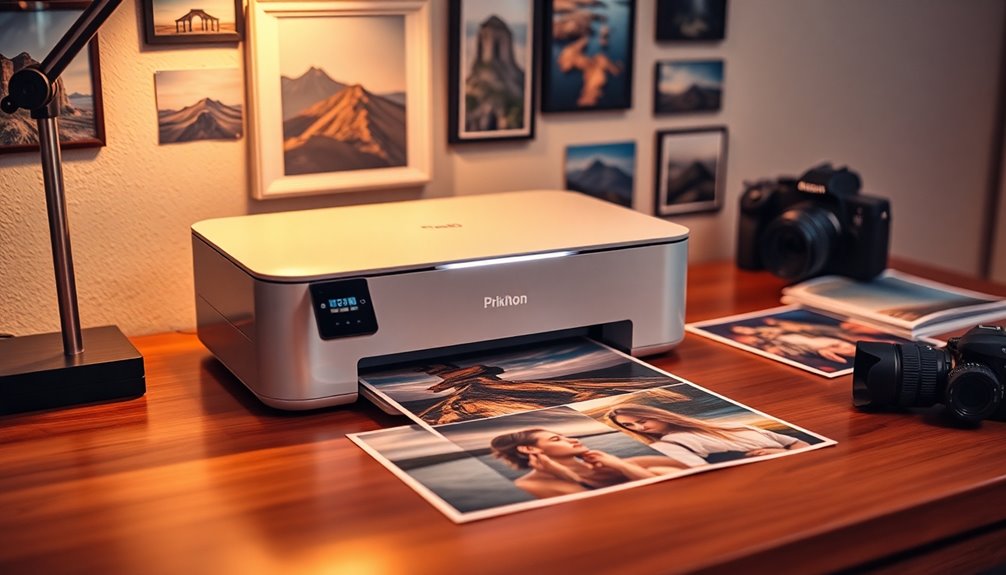

For a photo printer that handles a wide range of home projects, I’d start with the Epson EcoTank Photo ET-8550: its refillable ink system and wide-format output suit buyers who print often and want room to grow. The Canon SELPHY CP1500 is a simpler fit for compact 4×6-inch snapshots, while the Canon imagePROGRAF PRO-310 targets photographers who need more control over larger prints. The main tradeoff is between convenience and print flexibility: portable dye-sublimation models are easy to use but limited in size, while inkjets can make larger prints but ask for more space and upkeep. I compared all 13 around print format, running needs, connectivity, and intended use. Read on for the full breakdown and a pick for your kind of printing.

Get kitchen staples and gadgets delivered free with Prime
- Fast, free delivery on millions of items
- Prime Video, Amazon Music and more included
- Member-only deals all year
Key Takeaways
- The Epson EcoTank Photo ET-8550 stands apart for frequent home printing, combining wide-format capability with a refillable ink design; its larger footprint makes it a poor match for a small desk.
- The Canon imagePROGRAF PRO-310 and PIXMA PRO-200S serve photographers seeking dedicated print control, while their size and inkjet upkeep are more than occasional snapshot printing requires.
- Compact dye-sublimation options such as the Canon SELPHY CP1500, Liene M100, and HPRT CP4100 focus on convenient 4×6-inch prints, trading large-format flexibility for a straightforward snapshot workflow.
- The KODAK Dock Plus and Liene Amber M110 lean into phone-first printing, making them more suited to casual sharing than a home setup built around varied print sizes.
- All-in-one models like the Epson XP-7100, Epson XP-980, and HP Envy Photo 7975 can handle household documents as well as photos, but buyers who care mainly about photo output may prefer a printer designed around that job.
| KODAK Dock Plus 4×6 Smartphone Photo Printer |  | Best for Durable 4×6 Prints | Printer type: 4PASS dye sublimation | Maximum media size: 4 × 6 inches | Connectivity: Bluetooth, integrated docking | VIEW ON AMAZON | See Our Full Breakdown |
| Epson Expression Premium XP-7100 Wireless All-in-One Inkjet Printer |  | Best for Photo-and-Document Versatility | Printer type: Inkjet | Functions: Print, copy, scan | Maximum borderless photo size: 8 × 10 inches | VIEW ON AMAZON | See Our Full Breakdown |
| Epson EcoTank Photo ET-8550 Wireless Wide-Format All-in-One Tank Printer |  | Best for High-Volume Wide-Format Printing | Printer type: Inkjet with refillable ink tank | Ink system: Six-color Claria ET Premium | Maximum print size: Borderless prints up to 13 × 19 inches | VIEW ON AMAZON | See Our Full Breakdown |
| Epson Expression Photo HD XP-15000 Wireless Wide-Format Inkjet Printer |  | Best for Wide-Format Photo Detail | Printer type: Wide-format inkjet | Ink system: Six-color Claria Photo HD: black, cyan, magenta, yellow, gray, red | Maximum media size: 13 × 19 inches | VIEW ON AMAZON | See Our Full Breakdown |
| HP Envy Photo 7975 Wireless Color Inkjet All-in-One Photo Printer |  | Best for Family Photo-and-Document Jobs | Printer type: Thermal inkjet | Functions: Print, scan, copy | Print speed: Up to 10 pages per minute color; 15 pages per minute black | VIEW ON AMAZON | See Our Full Breakdown |
| Epson Expression Photo XP-980 Wireless All-in-One Wide-Format Printer |  | Best Wide-Format All-in-One | Printer type: Inkjet all-in-one | Print resolution: 5760 × 1440 dpi | Maximum media size: 11 × 17 inches | VIEW ON AMAZON | See Our Full Breakdown |
| Liene Amber M110 Bluetooth Photo Printer with 80 Sheets and 2 Cartridges |  | Best for Sticker Photos | Printer type: Thermal dye sublimation | Supported paper sizes: 4×6 inches and 3×3 inches | Resolution: 300 × 300 dpi | VIEW ON AMAZON | See Our Full Breakdown |
| Canon imagePROGRAF PRO-310 Professional 13″ Wireless Inkjet Photo Printer |  | Best for Professional Prints | Print technology: Inkjet | Maximum paper size: 13 inches | Ink system: 9-color pigment ink plus Chroma Optimizer | VIEW ON AMAZON | See Our Full Breakdown |
| Liene M100 4×6-Inch Dye-Sublimation Photo Printer with 100 Sheets and 3 Cartridges |  | Best Compact Snapshot Printer | Printer type: Dye sublimation | Maximum media size: 4 × 6 inches | Included photo paper: 100 sheets | VIEW ON AMAZON | See Our Full Breakdown |
| HPRT CP4100 4×6 Photo Printer with 108 Sheets & 2 Ribbons, Full-Color |  | Best for App-Based Photo Projects | Print size: 4 × 6 inches | Technology: Dye sublimation | Resolution: 300 DPI | VIEW ON AMAZON | See Our Full Breakdown |
| Canon Selphy CP1500 Photo Printer Bundle with KP-108 Paper, Ink Cartridges, and Cleaning Cloth |  | Best for Ready-to-Print Bundles | Printer type: Dye sublimation | Connectivity: Wi-Fi | Maximum media size: 4×6 inches | VIEW ON AMAZON | See Our Full Breakdown |
| Canon PIXMA PRO-200S Wireless Professional Inkjet Photo Printer |  | Best for Large Color Prints | Printer type: Inkjet | Ink system: Eight-color dye-based | Maximum borderless size: 13 × 19 inches | VIEW ON AMAZON | See Our Full Breakdown |
| Canon SELPHY CP1500 Wireless Compact Photo Printer, Black |  | Best Compact Photo Printer | Printer type: Dye sublimation | Connectivity: Wi-Fi, USB 2.0, and memory card | Maximum media size: 4 × 6 inches | VIEW ON AMAZON | See Our Full Breakdown |
| photo printer | Connectivity | Printer type | Maximum media size | Weight |
|---|---|---|---|---|
| KODAK Dock Plus 4×6 Smartphone | Bluetooth, integrated docking | 4PASS dye sublimation | 4 × 6 inches | — |
| Epson Expression Premium XP-71 | Wi-Fi, Ethernet, USB, SD card | Inkjet | 8.5 × 11 inches | 21.5 pounds |
| Epson EcoTank Photo ET-8550 Wi | — | Inkjet with refillable ink tank | — | 24.5 pounds |
| Epson Expression Photo HD XP-1 | Wi-Fi, Ethernet, USB | Wide-format inkjet | 13 × 19 inches | 18.7 pounds |
| HP Envy Photo 7975 Wireless Co | Wi-Fi, USB | Thermal inkjet | — | — |
| Epson Expression Photo XP-980 | Wi-Fi, Wi-Fi Direct, USB, memory card slot | Inkjet all-in-one | 11 × 17 inches | 19.4 pounds |
| Liene Amber M110 Bluetooth Pho | Bluetooth and USB | Thermal dye sublimation | — | 2.9 pounds |
| Canon imagePROGRAF PRO-310 Pro | Wireless | — | — | — |
| Liene M100 4×6-Inch Dye-Sublim | Wi-Fi and USB Type-C | Dye sublimation | 4 × 6 inches | — |
| HPRT CP4100 4×6 Photo Printer | Wi-Fi Direct, 2.4 GHz Wi-Fi, AP mode | — | — | — |
| Canon Selphy CP1500 Photo Prin | Wi-Fi | Dye sublimation | 4×6 inches | — |
| Canon PIXMA PRO-200S Wireless | Wi-Fi, Ethernet, and USB | Inkjet | — | 32 pounds |
| Canon SELPHY CP1500 Wireless C | Wi-Fi, USB 2.0, and memory card | Dye sublimation | 4 × 6 inches | 1.58 kg |
More Details on Our Top Picks
KODAK Dock Plus 4×6 Smartphone Photo Printer
The KODAK Dock Plus is the focused choice for turning phone photos into standard-size prints without setting up a general-purpose printer. Its 4PASS dye-sublimation process laminates each borderless 4×6 photo, giving prints resistance to water, fingerprints, and fading—useful for albums and family snapshots that will be handled. The dock can charge a compatible phone as it prints, while Bluetooth and the app provide a wireless route with editing and cropping. Compared with the Canon SELPHY CP1500, it adds an integrated phone dock, but its fixed 4×6 format offers less flexibility than an inkjet such as the Epson XP-7100, which also prints larger photos and handles documents. At about 55 seconds per print, it suits small batches, not fast bulk output. It also needs a power outlet and serves photo printing only.
Pros:- Makes borderless 4×6 color prints with 4PASS dye sublimation
- Laminated photos resist water, fingerprints, and fading
- Integrated dock charges a compatible phone while printing
- Bluetooth and app editing support phone-based printing
Cons:- Limited to 4×6 photo output, with no document or larger-format printing
- Requires a power outlet to operate
- About 55 seconds per photo makes large batches slow
Best for: Phone photographers who mainly want durable, borderless 4×6 prints for albums, gifts, and family snapshots.
Not ideal for: Buyers who want larger prints, document printing, or a portable printer they can use without a power outlet.
- Printer type:4PASS dye sublimation
- Maximum media size:4 × 6 inches
- Connectivity:Bluetooth, integrated docking
- Compatible devices:iOS and Android smartphones and tablets
- Print time:Approximately 55 seconds per photo
- Print features:Borderless color printing; laminated prints resist water, fingerprints, and fading
- Dimensions:4.5 × 8.5 × 2 inches
- USB port:USB Type-C
Our verdict“Choose the Dock Plus for durable 4×6 phone prints and a charging dock; choose the Epson XP-7100 if you also need larger photos and everyday document functions.”
Epson Expression Premium XP-7100 Wireless All-in-One Inkjet Printer
The Epson Expression Premium XP-7100 earns its place for households that want one machine to handle photos alongside scanning, copying, and routine documents. It prints borderless photos up to 8 × 10 inches, a useful step up from the KODAK Dock Plus’s fixed 4×6 output, while its touchscreen, USB and SD card slots give buyers several ways to send a photo to print. A 30-sheet automatic document feeder and automatic duplexing also make office tasks less hands-on. That versatility comes with a photo-quality tradeoff: it is a general-purpose inkjet, while the six-color Epson XP-15000 is more specifically equipped for wide-format photo work, reaching 13×19 inches. The XP-7100 also relies on Epson genuine cartridges, and specialty paper uses the rear feed; two-sided printing on that media is manual. It is a balanced home hub, not a dedicated photo specialist.
Pros:- Prints borderless photos up to 8 × 10 inches
- Combines printing, copying, and scanning
- 30-sheet automatic document feeder and automatic duplex printing simplify document jobs
- Offers Wi-Fi, Ethernet, USB, and SD card connectivity
Cons:- Uses Epson genuine cartridges
- Specialty paper requires the rear feed
- Two-sided printing on specialty paper must be done manually
Best for: Households that print occasional enlargements up to 8×10 and also need scanning, copying, and convenient document handling.
Not ideal for: Photo enthusiasts who want prints larger than 8×10 or prioritize dedicated wide-format photo output over all-in-one functions.
- Printer type:Inkjet
- Functions:Print, copy, scan
- Maximum borderless photo size:8 × 10 inches
- Automatic document feeder:30 sheets
- Duplex printing:Automatic
- Display:4.3-inch touchscreen
- Connectivity:Wi-Fi, Ethernet, USB, SD card
- Maximum media size:8.5 × 11 inches
- Weight:21.5 pounds
Our verdict“Pick the XP-7100 when photo printing needs to share space with everyday scanning and document tasks, while the XP-15000 is a better fit for larger photo prints.”
Epson EcoTank Photo ET-8550 Wireless Wide-Format All-in-One Tank Printer
For a home studio that prints often, the Epson EcoTank Photo ET-8550 combines wide-format reach with refillable tanks, so photo output does not depend on replacing small cartridges. It supports borderless prints up to 13×19 inches and uses six-color Claria ET Premium ink, giving creators room to make large wall prints as well as sharp text and everyday documents. The supplied product data puts a 4×6 print at about four cents in ink, a useful advantage over cartridge-based choices such as the Epson XP-15000 for recurring print jobs. The XP-15000, however, also reaches 13×19 and may suit buyers who want a photo-focused printer without the ET-8550’s scanning and copying. The EcoTank’s wide body and 24.5-pound weight need dedicated space, and its higher initial outlay makes less sense for occasional snapshots.
Pros:- Prints borderless photos up to 13 × 19 inches
- Refillable ink tanks avoid frequent cartridge replacement
- Six-color Claria ET Premium ink supports photo and text printing
- Includes scanning and copying
Cons:- Large, heavy footprint requires dedicated space
- Higher initial investment than a traditional cartridge inkjet
- Using non-genuine ink can void the warranty
Best for: Photographers, artists, and home-studio users who make frequent prints up to 13×19 inches and value refillable ink with scan-and-copy functions.
Not ideal for: Casual photo printers with little desk space or buyers who print rarely and would rather avoid a larger tank-printer setup.
- Printer type:Inkjet with refillable ink tank
- Ink system:Six-color Claria ET Premium
- Maximum print size:Borderless prints up to 13 × 19 inches
- Functions:Print, scan, copy
- Print speed:Up to 12 pages per minute color; 16 pages per minute black
- Print resolution:Up to 1440 dpi color; 5760 × 1440 dpi black and white
- Weight:24.5 pounds
- Dimensions:29.8 × 20.6 × 16.9 inches
- Control:App and touch; iOS and Android supported
Our verdict“Choose the ET-8550 for frequent large-format photo work and all-in-one utility; occasional printers may find the XP-15000’s print-only design simpler.”
Epson Expression Photo HD XP-15000 Wireless Wide-Format Inkjet Printer
The Epson XP-15000 is the photo-first alternative for buyers who want prints up to 13×19 inches but do not need scanning or copying. Its six-color Claria Photo HD ink, including red and gray, is designed to expand color range and improve black-and-white output—advantages for landscapes, portraits, and monochrome prints. Compared with the all-in-one EcoTank ET-8550, the XP-15000 gives up refillable tanks and scan-and-copy functions in exchange for a printer-only setup with a 200-sheet front tray and 50-sheet rear tray. Automatic duplexing helps when printing documents, though this is still a substantial 18.7-pound machine, not a compact desktop snapshot printer. It also depends on genuine Epson cartridges, so buyers who print frequently should weigh ongoing cartridge replacement against the ET-8550’s tank system.
Pros:- Produces borderless prints up to 13 × 19 inches
- Red and gray inks support a wider color range and stronger monochrome output
- Automatic duplex printing adds document convenience
- Front and rear trays provide separate paper capacities
Cons:- Print-only design has no scanner or copier
- Requires genuine Epson cartridges
- Large-format body takes substantial desk space
Best for: Photo enthusiasts who want detailed borderless enlargements and black-and-white prints up to 13×19 inches from a dedicated printer.
Not ideal for: Buyers who need a scanner or copier, print frequently enough to favor refillable tanks, or want a small printer for occasional 4×6 snapshots.
- Printer type:Wide-format inkjet
- Ink system:Six-color Claria Photo HD: black, cyan, magenta, yellow, gray, red
- Maximum media size:13 × 19 inches
- Resolution:5760 × 1440 dpi
- Connectivity:Wi-Fi, Ethernet, USB
- Duplex printing:Automatic
- Paper capacity:200 sheets front tray; 50 sheets rear tray
- Weight:18.7 pounds
- Dimensions:18.7 × 30.9 × 16.2 inches
Our verdict“Choose the XP-15000 for dedicated 13×19 photo printing and specialized color inks; the ET-8550 suits frequent printers who also want refillable tanks and all-in-one functions.”
HP Envy Photo 7975 Wireless Color Inkjet All-in-One Photo Printer
The HP Envy Photo 7975 fits a family home where photo printing is one part of a broader mix of schoolwork, forms, and scans. A separate photo tray keeps photo paper ready, while automatic duplexing and a 35-sheet feeder help with multipage document chores. It prints, scans, and copies over Wi-Fi or USB, and its color resolution reaches 4800×1200 dpi. The tradeoff is print size: its listed maximum media size is 8.5×11.7 inches, so it cannot match the 13×19 enlargements from the Epson XP-15000 or ET-8550. For straightforward 4×6 prints, the KODAK Dock Plus offers a more focused dye-sublimation approach and laminated output; the HP is more useful when the same household also needs a document feeder and scanner. Its 17.9-pound body is still a permanent home-printer commitment.
Pros:- Prints, scans, and copies in one device
- Separate photo tray supports photo-paper loading
- Automatic duplex printing and 35-sheet document feeder
- Wi-Fi and mobile printing support
Cons:- Maximum media size is limited to 8.5 × 11.7 inches
- Cannot match the wide-format reach of the Epson XP-15000 or ET-8550
- At 17.9 pounds, it needs a stable home location
Best for: Families who want a home all-in-one with a dedicated photo tray for snapshots plus scanning and document handling.
Not ideal for: Photo artists seeking large-format prints or buyers who want a small, dedicated printer for durable 4×6 snapshots.
- Printer type:Thermal inkjet
- Functions:Print, scan, copy
- Print speed:Up to 10 pages per minute color; 15 pages per minute black
- Print resolution:1200 × 1200 dpi black and white; 4800 × 1200 dpi color
- Duplex printing:Automatic
- Document feeder:35-sheet automatic document feeder
- Display:2.7-inch touchscreen
- Paper capacity:125 sheets
- Connectivity:Wi-Fi, USB
Our verdict“Pick the Envy Photo 7975 for family homes that mix snapshots with scans and documents, while large-print buyers should look to the XP-15000 or ET-8550.”
Epson Expression Photo XP-980 Wireless All-in-One Wide-Format Printer
The XP-980 makes the most sense for households that want photo printing beyond the usual 4×6 snapshot. Its 11×17-inch borderless output gives you room for larger wall prints, while six Claria Photo HD inks support nuanced color. Separate trays for plain and photo paper reduce the need to swap media between everyday documents and pictures. Compared with the Epson EcoTank Photo ET-8550, this model adds scanning and copying in a smaller all-in-one package, though it does not offer the same tank-based ink system. The touchscreen and phone app simplify sending photos from multiple devices. The tradeoffs are its reliance on Epson genuine cartridges and a 19.4-pound body; its black-and-white copy speed is modest, too. Choose it for flexible home use, rather than if low-maintenance ink costs are your priority.
Pros:- Prints borderless photos up to 11×17 inches
- Six-color ink system supports detailed photo output
- Separate plain-paper and photo-paper trays simplify switching tasks
- Touchscreen and app support printing from phones and computers
Cons:- Requires Epson genuine cartridges
- At 19.4 pounds, it is relatively heavy for a home printer
- Black-and-white copy speed is limited to 8.5 ppm
Best for: Households that want an all-in-one for large photo prints, scanning, and occasional document copying
Not ideal for: Frequent high-volume printers who want refillable tanks or a lighter, easy-to-move photo printer
- Printer type:Inkjet all-in-one
- Print resolution:5760 × 1440 dpi
- Maximum media size:11 × 17 inches
- Ink colors:Black, cyan, magenta, yellow, light cyan, light magenta
- Scanner:Flatbed
- Connectivity:Wi-Fi, Wi-Fi Direct, USB, memory card slot
- Weight:19.4 pounds
- Dimensions:14 × 18.9 × 5.8 inches
Our verdict“Pick the XP-980 if you want large photo prints and scanning in one home machine and can accept cartridge-based ink.”
Liene Amber M110 Bluetooth Photo Printer with 80 Sheets and 2 Cartridges
The Liene Amber M110 is the pick here for people who want both familiar 4×6 prints and small, peelable keepsakes. Its support for 3×3-inch sticker paper gives it a creative use the standard-size-only Liene M100 does not offer. Dye-sublimation prints receive a laminated finish designed to resist water, scratches, fingerprints, and fading, so they suit albums and casual display. Bluetooth and USB provide straightforward ways to connect a phone or computer, while the app adds borders, filters, and ID-photo tools. The compact 2.9-pound design is easier to carry than the wide-format Epson models, but it is limited to two print sizes and a listed 20-sheet capacity. Its cartridges are proprietary, so buyers should be comfortable replenishing Liene supplies.
Pros:- Prints both 4×6-inch photos and 3×3-inch sticker photos
- Laminated finish is designed to resist water, scratches, and fingerprints
- Bluetooth and USB connectivity support phone and computer printing
- App includes filters, borders, and ID-photo printing
Cons:- Limited to two supported paper sizes
- Uses cartridges compatible only with Liene paper formats
- Listed sheet capacity is 20
Best for: Phone photographers who want occasional 4×6 prints plus square sticker photos for journals, gifts, or scrapbooks
Not ideal for: Buyers who need larger prints, broad paper choices, or non-proprietary consumables
- Printer type:Thermal dye sublimation
- Supported paper sizes:4×6 inches and 3×3 inches
- Resolution:300 × 300 dpi
- Connectivity:Bluetooth and USB
- Included paper:60 sheets of 4×6-inch paper and 20 sheets of 3×3-inch sticker paper
- Included cartridges:2
- Weight:2.9 pounds
- Warranty:12 months
Our verdict“Choose the Amber M110 if sticker photos matter as much as standard snapshots and you are fine with its limited formats.”
Canon imagePROGRAF PRO-310 Professional 13″ Wireless Inkjet Photo Printer
For photographers who want control over large, display-ready output, the Canon imagePROGRAF PRO-310 is the specialist choice in this group. Its nine-color pigment ink system with Chroma Optimizer is built for dense blacks, even gloss, and prints designed to resist scratches. That focus separates it from compact dye-sublimation options such as the Canon SELPHY CP1500, which is better suited to quick 4×6 snapshots than 13-inch prints. A 3-inch color LCD makes status checks easier, and anti-clogging and skew-correction features help with routine printing. Its strength is image-making, not household versatility: there is no scanner or copier listed, and the available product data does not specify its weight, media handling, or connection options beyond wireless. This is a dedicated photo printer for users prepared to work at a more serious scale.
Pros:- Nine-color pigment system with Chroma Optimizer targets rich, even photo finishes
- Prints on media up to 13 inches wide
- LUCIA PRO II inks are designed for scratch resistance and gloss uniformity
- LCD, anti-clogging, and skew-correction features aid operation
Cons:- Specialized photo-only design lacks listed scanning or copying functions
- Larger-format, multi-ink printing is more involved than using a compact snapshot printer
- The supplied product data does not specify weight or detailed media handling
Best for: Photographers and printmakers who need wireless output up to 13 inches for display or portfolio work
Not ideal for: Casual snapshot printers who want a compact, inexpensive-to-run printer or an all-in-one with scanning
- Print technology:Inkjet
- Maximum paper size:13 inches
- Ink system:9-color pigment ink plus Chroma Optimizer
- Ink brand:LUCIA PRO II
- Display:3.0-inch color LCD
- Connectivity:Wireless
Our verdict“Choose the PRO-310 for large, durable photo prints when image quality matters more than all-in-one convenience.”
Liene M100 4×6-Inch Dye-Sublimation Photo Printer with 100 Sheets and 3 Cartridges
The Liene M100 keeps photo printing focused: it makes laminated 4×6-inch prints from phones and computers, with no larger-format ambitions or all-in-one features to manage. Its included 100 sheets and three color cartridges give new owners supplies for a batch of snapshots. Compared with the Liene Amber M110, the M100 does not offer 3×3 sticker paper, but its Wi-Fi hotspot can connect up to five devices without an external network. Dye-sublimation output is designed to resist water, scratches, fingerprints, and fading, and the app offers basic image adjustments and borders. The tradeoffs are meaningful for frequent users: paper capacity is listed at 20 sheets, and the printer depends on proprietary Liene cartridges. Pick it for simple, durable prints rather than varied formats or high-volume work.
Pros:- Includes 100 sheets of 4×6 photo paper and three color cartridges
- Laminated prints are designed to resist water, scratches, fingerprints, and fading
- Wi-Fi hotspot supports up to five simultaneous devices
- App provides filters, borders, brightness, and contrast adjustments
Cons:- Limited to 4×6-inch media
- Uses proprietary Liene cartridges
- Maximum sheet capacity is 20
Best for: Families and phone photographers who want durable 4×6 snapshots and easy sharing across several devices
Not ideal for: Scrapbookers seeking sticker paper, buyers wanting larger prints, or high-volume users who dislike proprietary cartridges
- Printer type:Dye sublimation
- Maximum media size:4 × 6 inches
- Included photo paper:100 sheets
- Included cartridges:3 color cartridges
- Connectivity:Wi-Fi and USB Type-C
- Compatible operating systems:Windows, iOS, Mac, Android
- Simultaneous connections:Up to 5 devices
- Warranty:12 months
Our verdict“The M100 suits households that want straightforward, durable 4×6 prints shared across phones and computers.”
HPRT CP4100 4×6 Photo Printer with 108 Sheets & 2 Ribbons, Full-Color
The HPRT CP4100 is a compact 4×6 dye-sublimation printer for people who want editing tools built into the phone-printing routine. Its app supports collages, AR scanning, and passport photos, giving it more project-oriented options than the basic snapshot workflow of the Liene M100. Wireless Direct, 2.4 GHz Wi-Fi, and AP mode offer several connection routes, while the included 108 sheets and two ribbons provide a ready-to-start supply bundle. The finished prints are described as vibrant and resistant to water and scratches. Still, this is a dedicated 4×6 device: it cannot make larger prints or replace a document printer. Dye-sublimation ribbons need replacing, and setup may take patience for buyers unfamiliar with wireless connections. It fits casual home printing and travel better than a flexible, wide-format system.
Pros:- App offers collage, AR scanning, and passport-photo features
- Dye-sublimation prints are described as water- and scratch-resistant
- Includes 108 sheets and two ribbons
- Wi-Fi Direct, 2.4 GHz Wi-Fi, and AP mode provide connection options
Cons:- Limited to 4×6-inch prints
- Ribbons require replacement as supplies run out
- Wireless setup may be challenging for some users
Best for: Phone users who want to print 4×6 memories and make collages or passport photos through an editing app
Not ideal for: Photographers who need multiple print sizes, computer-centric workflows, or minimal wireless setup
- Print size:4 × 6 inches
- Technology:Dye sublimation
- Resolution:300 DPI
- Included sheets:108
- Included ribbons:2
- Connectivity:Wi-Fi Direct, 2.4 GHz Wi-Fi, AP mode
Our verdict“Choose the CP4100 if app-based projects and included supplies matter more than print-size flexibility.”
Canon Selphy CP1500 Photo Printer Bundle with KP-108 Paper, Ink Cartridges, and Cleaning Cloth
The included paper and ink make this CP1500 bundle a convenient pick for buyers who want to start printing 4×6 photos without assembling supplies separately. Its dye-sublimation process produces vivid, water-resistant prints that dry quickly and resist fingerprints, a practical fit for albums and handouts. Compared with the standalone Canon SELPHY CP1500, this package has the advantage of 108 sheets of paper and three color cartridges in the box. It is far more focused than the wide-format Canon PIXMA PRO-200S, which can produce large prints but needs more space and suits a different kind of project. The tradeoff is the CP1500’s fixed 4×6 output and print-only design; buyers seeking posters, scanning, or copying should look elsewhere.
Pros:- Bundle includes 108 sheets of photo paper and three color ink cartridges
- Dye-sublimation output produces vibrant, water-resistant, fingerprint-resistant prints
- Wi-Fi supports printing from smartphones, tablets, and computers
- Compact design takes less space than a wide-format photo printer
Cons:- Limited to prints up to 4×6 inches
- Print-only device with no scanner or copier
Best for: Families who want to print batches of 4×6 phone photos at home with paper and ink included
Not ideal for: Photographers who need prints larger than 4×6 inches or an all-in-one printer with scanning and copying
- Printer type:Dye sublimation
- Connectivity:Wi-Fi
- Maximum media size:4×6 inches
- Paper capacity:108 sheets
- Ink colors:Cyan, magenta, and yellow
- Resolution:1200 x 1200 dpi
- Compatible devices:PCs, smartphones, and tablets
Our verdict“Choose this bundle if you want a compact wireless printer and a substantial starter supply of durable 4×6 prints.”
Canon PIXMA PRO-200S Wireless Professional Inkjet Photo Printer
Borderless printing up to 13 × 19 inches gives this printer a clear role for photographers who want wall-ready images or large portfolio sheets at home. Its eight-color dye ink system is designed for vivid color, while Wi-Fi, Ethernet, and USB give desktop workflows several ways to connect. Compared with the Canon SELPHY CP1500, the PRO-200S handles much larger work and offers broader paper options, including custom panoramas up to 13 × 39 inches according to the product details. That capability comes with a very different footprint: at 32 pounds and nearly 29 inches wide, it is a dedicated workstation printer rather than a portable family photo device. The listed speed of about two pages per minute also makes it a poor fit for quick, high-volume everyday printing.
Pros:- Borderless photo output up to 13 × 19 inches
- Eight-color dye ink system targets vivid color reproduction
- Supports Wi-Fi, Ethernet, and USB connections
- Custom panorama printing supported up to 13 × 39 inches
Cons:- At 32 pounds, it is difficult to move and needs a dedicated space
- Listed print speed is about two pages per minute
- Lacks scanning and copying functions
Best for: Photographers and printmakers who want vibrant borderless prints up to 13 × 19 inches and can dedicate desk space to a photo printer
Not ideal for: Casual phone-photo users who mainly print 4×6 snapshots or need a lightweight, fast printer
- Printer type:Inkjet
- Ink system:Eight-color dye-based
- Maximum borderless size:13 × 19 inches
- Connectivity:Wi-Fi, Ethernet, and USB
- Display:3-inch color LCD
- Resolution:4800 × 2400 dpi
- Weight:32 pounds
- Maximum sheet capacity:100 sheets
Our verdict“Pick the PRO-200S for large, color-rich photo prints when print size matters more than speed and portability.”
Canon SELPHY CP1500 Wireless Compact Photo Printer, Black
Multiple ways to connect set this compact CP1500 apart for people who print from a mix of phones, cameras, and computers: it supports Wi-Fi, USB, and memory cards. The 3.5-inch LCD lets you preview and make edits at the printer, while dye-sublimation output is instantly dry and water-resistant. Compared with the Canon Selphy CP1500 bundle, this listing emphasizes the printer’s camera-friendly connections and portability rather than a supplied 108-sheet paper-and-ink package. An optional battery pack can make printing away from an outlet possible, though the extra purchase means it is not fully untethered as supplied. Like that bundled CP1500, it tops out at 4×6 inches, so the PIXMA PRO-200S is a better match for large prints. Its compact body suits snapshots, not expansive photo projects.
Pros:- Wi-Fi, USB, and memory card connections support varied photo sources
- Built-in 3.5-inch LCD enables preview and editing
- Dye-sublimation prints are instantly dry and water-resistant
- Optional battery pack allows printing away from an outlet
Cons:- Maximum output is limited to 4×6 inches
- Battery pack is optional rather than included
- Does not provide scanning or copying
Best for: Travelers and families who want to print 4×6 snapshots from phones, cameras, or memory cards, with the option to add battery power
Not ideal for: Photographers who need prints larger than 4×6 inches or expect a battery to be included
- Printer type:Dye sublimation
- Connectivity:Wi-Fi, USB 2.0, and memory card
- Maximum media size:4 × 6 inches
- Supported media:Glossy photo paper and labels
- Display:3.5-inch LCD
- Resolution:300 × 300 dpi
- Weight:1.58 kg
- Battery:Optional battery pack
Our verdict“Choose this CP1500 for a small, flexible snapshot printer if 4×6 output is enough and you are comfortable adding a battery separately.”

How We Picked
I ranked these photo printers by how well their format, workflow, and maintenance fit the needs of people who want physical photos. The key criteria were supported print sizes, whether the machine is dedicated to photos or also handles everyday documents, connection options, and the ongoing demands of ink or dye-sublimation supplies. I also weighed practical fit: a compact snapshot printer can be a better choice than a more capable wide-format model if the buyer mostly prints from a phone and has little room.
The order favors versatility for regular photo printing near the top, then clearer specialist roles such as professional output, compact snapshots, and all-in-one home use. A larger format or more elaborate ink system did not automatically earn a higher place; those advantages matter only when they serve a buyer’s actual workflow. Bundles and similar models were compared by the added convenience they offer, while drawbacks such as limited print sizes, desk space, and supply handling shaped each product’s position.
Factors to Consider When Choosing Photo Printers
Before choosing a photo printer, I’d match the way you print to the machine’s format and supply system. The right choice depends on more than image quality: print size, frequency, space, and whether the printer also needs to handle documents can change which design makes sense.
Choose the print size you will actually use
Start by deciding whether your normal print is a small snapshot, a standard photo, or a larger wall print. A compact 4×6-inch printer makes quick sharing easy, but it cannot replace a wide-format model when you want prints beyond that size. Larger printers take more room, and their extra capacity has little value if your photos end up in an album at snapshot size. Think about where prints will go: frames, scrapbooks, gifts, and portfolios call for different dimensions. Check the printer’s supported paper sizes before buying, since the word “photo” alone does not tell you how large it can print. Leave some flexibility if you expect your projects to change, but avoid paying in space and complexity for a format you rarely use.
Match the ink system to your printing habits
Inkjet and dye-sublimation printers suit different rhythms. A refillable tank can make sense for a household that prints frequently, while a cartridge-based photo inkjet may suit buyers who value a more focused photo setup. Dye-sublimation systems typically use matched paper and ribbon supplies, keeping the process centered on compatible snapshot packs. Occasional printers should think about how long supplies may sit unused and what upkeep the manufacturer recommends. Frequent printers should compare the supply format and replacement routine before settling on the printer itself. A common mistake is to focus on the purchase bundle and overlook whether its included media matches your likely volume. Choose the system that feels manageable across a full year of printing, not just the first batch.
Decide whether photos are the only job
An all-in-one printer can scan, copy, and print household documents alongside photos, which may save space if it replaces other equipment. A dedicated photo printer prioritizes a photo workflow and can be a better fit when image output is the main purpose. Consider how often you need scanning or copying, rather than assuming those functions are useful because they are included. If several people share the printer, document support and simple controls may matter more than advanced photo settings. For a photographer with another office printer, a second all-in-one may add functions that are rarely used. Count the devices the printer will replace and the tasks it needs to handle. That gives a more useful measure of fit than a feature checklist.
Check how you will send photos to print
Phone printing is convenient when images live in a mobile library, but the app and connection method become part of the routine. Bluetooth, Wi-Fi, and direct docking can each shape setup and sharing, so consider who will print and from which devices. A phone-first printer may reduce steps for casual snapshots, while a wireless inkjet can suit households printing from several computers and phones. If you edit on a computer, check that the software and connection options match that workflow too. Buyers sometimes choose a printer for wireless convenience and later discover that its app-centered process does not suit their editing habits. Think through a typical print from selecting the image to collecting the paper. A simple path you will use often can matter more than a long list of connection features.
Budget for paper, supplies, and storage
Printer size and supply type affect the routine long after setup. Photo paper may be specific to a printer or print process, so check which media sizes and packs are available where you live. Bundles can be handy when the included paper and supplies match your intended use, but they should not decide the purchase on their own. Wide-format machines need a place to sit and room to handle larger sheets; portable units still need space for paper and supplies when traveling. If you print in bursts, consider how you will store media between sessions and follow the maker’s care instructions. Make a shortlist based on the complete workflow, including restocking and storage. That helps prevent a printer from becoming inconvenient after the initial novelty wears off.
Pay for capability that changes your results
Higher-end photo models make the most sense when you will use their larger formats, dedicated controls, or broader creative workflow. For family snapshots, a straightforward compact printer may be more useful than studio-oriented flexibility. Before paying for advanced features, identify a project you cannot complete with a simpler design. A portfolio maker may value more control over output, while someone printing gifts may value quick setup and included media. Extra capability can bring a larger footprint and more supplies to manage, so weigh those costs against the prints you plan to make. Look at the least capable printer that still supports your real projects. If it covers them comfortably, a more elaborate model may not improve your day-to-day experience.
Frequently Asked Questions
Should I get a dedicated photo printer or an all-in-one?
Choose an all-in-one if scanning, copying, and everyday documents are regular household needs alongside photos. A dedicated photo model makes more sense when you already have an office printer and want this machine focused on image output. The all-in-one route can reduce the number of devices, but its extra functions may add little if you never use them. Compare print sizes and supply needs as well as the feature list, since either type can have limits that matter to your photos. The best fit is the one that covers your most frequent jobs without taking up space for functions you rarely need.
Is a 4×6-inch printer enough for printing photos at home?
It is enough if you mainly want snapshots for albums, gifts, or sharing, and do not plan to make larger prints. A compact dye-sublimation model can keep that routine simple, but it will not cover posters, larger frames, or varied paper sizes. Think about the largest print you expect to make over the next few years, not only the size you use today. If that answer is consistently 4×6 inches, a larger printer may bring unused capability and a bigger footprint. If you want room for creative projects, choose a model that supports those formats from the outset.
Which kind of photo printer suits someone who prints only occasionally?
For occasional snapshots, a compact printer with a simple phone workflow may be easier to keep ready than a large photo inkjet. If you print infrequently but need different sizes, an inkjet may still be the better match, provided you are comfortable following its care guidance. Consider how supplies are packaged and stored, since paper and ink choices can shape a sporadic print session. Avoid selecting a high-volume tank design solely because it sounds economical if you rarely print. Start with your typical number of prints and formats, then match the printer’s upkeep to that pattern.
When does it make sense to choose a wide-format photo printer?
A wide-format model makes sense when you regularly print larger work for framing, portfolios, or creative projects that small snapshot printers cannot handle. It is less compelling when nearly every print goes into a small album. Before choosing one, measure the available desk or shelf space and check which paper sizes the printer supports. Larger-format capability can broaden what you make, but it brings a larger machine and a more involved supply routine. Choose it for projects you expect to complete, rather than for the possibility of someday making a large print.
Should I choose the printer with the most paper or supplies in the box?
Included supplies are useful when they match the print size and process you intend to use. They do not tell you whether the printer fits your workflow, supports your desired formats, or is practical to maintain. Compare what the bundle contains with the media and replacement supplies available for the model. A larger starter pack may simply postpone the next restock, while a smaller one may still be a better match for your needs. Choose the printer on its features and fit first, then treat included supplies as a convenience.
Conclusion
For the broadest home photo workflow in this group, I’d choose the Epson EcoTank Photo ET-8550 as best overall, especially for regular printing across sizes. The Canon SELPHY CP1500 is my best value for buyers who want compact 4×6-inch snapshots, and its bundle version may suit anyone who prefers a ready-to-print starter set. For a professional photo workflow, look to the Canon imagePROGRAF PRO-310 as the premium pick; it is a stronger match for serious print projects than casual family snapshots. Beginners who mostly print from a phone can start with the KODAK Dock Plus or a compact SELPHY, while buyers needing scanning and document printing should compare the Epson XP-7100, XP-980, and HP Envy Photo 7975. Match the printer to your usual print size and frequency, and the choice among these 13 becomes much clearer.
Fall Picks
fall essentials
As an affiliate, we earn on qualifying purchases.