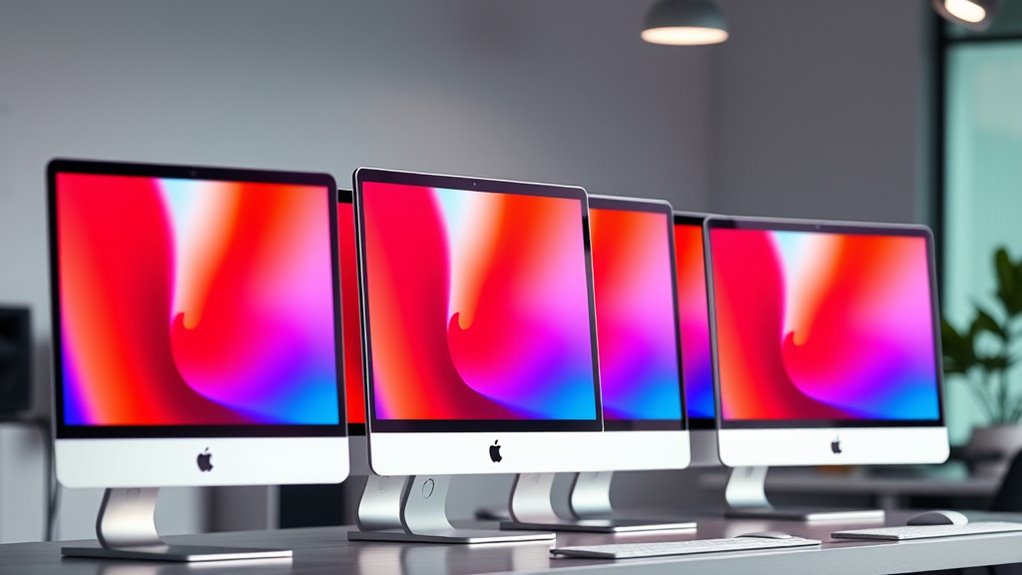

Shopping for an iMac for video editing comes down to one central tradeoff: Apple Silicon performance versus screen real estate. The Apple 2024 iMac with M4 chip, 24GB of memory, and 512GB SSD is the best overall pick because its unified memory and media engines handle 4K timelines far more smoothly than any Intel-era machine on this list. If budget matters most, the 16GB M4 models still edit 1080p and light 4K footage well, while the 27-inch 5K Intel iMacs remain tempting for editors who want a bigger canvas and don’t mind slower exports and shorter software runway. Below, I break down where each model wins, where it falls short, and which buyer each one actually fits.

Get kitchen staples and gadgets delivered free — and shop member deals
- Fast, free delivery on millions of items
- Access to Prime Big Deal Days deals on October 6–7
- Prime Video, Amazon Music and more included
Key Takeaways
- The 24GB M4 configurations ranked highest because unified memory capacity matters more than raw clock speed when timelines grow past a few 4K tracks.
- Every 256GB SSD model in this lineup forces an external drive purchase for serious video work — only the 512GB configurations give you usable out-of-the-box storage.
- The 27-inch 5K Intel iMacs offer the largest and sharpest display here, but their 8GB of RAM and aging processors make them the weakest choices for modern codecs like HEVC and ProRes.
- The renewed 27-inch model is the cheapest entry point, but its 1TB Fusion Drive is a genuine liability for video editing, since fragmented spinning-disk storage slows scrubbing and exports.
- Among the three 16GB M4 variants, color choice is the only real difference — performance is identical, so buy on storage needs, not finish.
| Apple 2024 iMac All-in-One Desktop Computer with M4 Chip, 24-inch Retina Display, 24GB Memory, 512GB SSD, Blue |  | Best Overall | Processor: M4 chip, 10-core CPU and 10-core GPU | Display: 24-inch Retina, 4.5K resolution | Memory: 24GB unified memory | VIEW ON AMAZON | See Our Full Breakdown |
| Apple iMac 27-inch Retina 5K (2020, Intel Core i5, 8GB RAM, 512GB SSD) |  | Best for a Large Editing Workspace | Display: 27-inch Retina 5K, 5120 × 2880 pixels, 500 nits | Processor: 3.3GHz 6-core 10th-generation Intel Core i5 | Graphics: AMD Radeon Pro 5300 | VIEW ON AMAZON | See Our Full Breakdown |
| Apple 2024 iMac 24-inch All-in-One Desktop with M4 Chip, 16GB Memory, 256GB SSD, Green |  | Best for Beginners | Processor: Apple M4 chip, 8-core CPU and 8-core GPU | Display: 24-inch 4.5K Retina, 500 nits, up to one billion colors | Memory: 16GB unified memory | VIEW ON AMAZON | See Our Full Breakdown |
| Apple iMac 27-inch Retina 5K, 3.5GHz Intel Core i5, 8GB RAM, 1TB Fusion Drive, Silver (Renewed) |  | Best for Legacy Ports and Dedicated Graphics | Display: 27-inch Retina 5K, 500 nits, P3 wide color | Processor: 3.5GHz quad-core Intel Core i5, Turbo Boost up to 4.2GHz | Graphics: Radeon Pro 575 with 8GB VRAM | VIEW ON AMAZON | See Our Full Breakdown |
| Apple 2024 iMac All-in-One Desktop Computer with M4 Chip, 24-inch Retina Display, 16GB RAM, 256GB SSD, Blue |  | Best Compact M4 Pick | Processor: M4 chip, 8-core CPU and 8-core GPU | Display: 24-inch Retina, 4.5K resolution | Memory: 16GB unified memory | VIEW ON AMAZON | See Our Full Breakdown |
| Apple 2024 iMac 24-inch All-in-One Desktop with M4 Chip, 24GB Memory, 512GB SSD, Silver |  | Best Balanced Pick | Chip: Apple M4 | CPU / GPU: 10-core CPU, 10-core GPU | Display: 24-inch 4.5K Retina, 500 nits, up to 1 billion colors | VIEW ON AMAZON | See Our Full Breakdown |
| imac for video editing | Display | Memory | Storage | Processor |
|---|---|---|---|---|
| Apple 2024 iMac All-in-One Des | 24-inch Retina, 4.5K resolution | 24GB unified memory | 512GB SSD | M4 chip, 10-core CPU and 10-core GPU |
| Apple iMac 27-inch Retina 5K | 27-inch Retina 5K, 5120 × 2880 pixels, 500 nits | 8GB DDR4, 2666MHz; maximum 128GB | 512GB SSD | 3.3GHz 6-core 10th-generation Intel Core i5 |
| Apple 2024 iMac 24-inch All-in | 24-inch 4.5K Retina, 500 nits, up to one billion colors | 16GB unified memory | 256GB SSD | Apple M4 chip, 8-core CPU and 8-core GPU |
| Apple iMac 27-inch Retina 5K | 27-inch Retina 5K, 500 nits, P3 wide color | 8GB DDR4 | 1TB Fusion Drive | 3.5GHz quad-core Intel Core i5, Turbo Boost up to 4.2GHz |
| Apple 2024 iMac All-in-One Des | 24-inch Retina, 4.5K resolution | 16GB unified memory | 256GB SSD | M4 chip, 8-core CPU and 8-core GPU |
| Apple 2024 iMac 24-inch All-in | 24-inch 4.5K Retina, 500 nits, up to 1 billion colors | 24GB unified memory | 512GB SSD | — |
More Details on Our Top Picks
Apple 2024 iMac All-in-One Desktop Computer with M4 Chip, 24-inch Retina Display, 24GB Memory, 512GB SSD, Blue
For video editors who want a tidy desktop that can handle active timelines, this iMac’s M4 chip, 24GB of unified memory, and 512GB SSD make it the most balanced pick in this group. The extra memory and storage give it more room for editing software and working files than the 16GB, 256GB M4 models, including the Green iMac. Its 4.5K display provides a detailed workspace for trimming clips and reviewing color, though a 24-inch screen leaves less room for panels than the 27-inch 5K Intel iMacs. The newer M4 platform and Thunderbolt 4 ports suit a modern desk setup, but memory and storage are not listed as upgradeable. I’d choose it for regular editing with external project storage; demanding professional workflows may need a larger display and more headroom.
Pros:- 24GB unified memory gives editing apps and other open tasks more breathing room than the 16GB M4 models.
- 512GB SSD offers more space for software and active files than the 256GB options.
- 4.5K Retina display provides a sharp, color-rich editing workspace.
- Thunderbolt 4 supports a modern external drive and display setup.
Cons:- The 24-inch screen provides less workspace than either 27-inch 5K iMac.
- The all-in-one design limits later memory and storage changes.
- The supplied specifications do not list a dedicated GPU option.
Best for: Video editors who want a current Apple all-in-one with enough memory for multitasking and roomier built-in storage than the base M4 models.
Not ideal for: Editors who need a large timeline workspace, expandable internal components, or workstation-class graphics for demanding effects and high-resolution projects.
- Processor:M4 chip, 10-core CPU and 10-core GPU
- Display:24-inch Retina, 4.5K resolution
- Memory:24GB unified memory
- Storage:512GB SSD
- Ports:Up to four Thunderbolt 4 ports
- Connectivity:Wi-Fi 6E and Bluetooth 5.3
- Color:Blue
Our verdict“Choose this M4 iMac for a balanced video-editing setup with more memory and storage than the base models, provided a 24-inch display is enough.”
Apple iMac 27-inch Retina 5K (2020, Intel Core i5, 8GB RAM, 512GB SSD)
The main reason to choose this 2020 iMac for video editing is its 27-inch 5K display: it gives a timeline and preview more room than the 24-inch M4 iMacs, and its listed support for one billion colors and 500 nits suits detailed viewing. The Radeon Pro 5300 adds dedicated graphics, a different fit from the newer M4 models’ integrated GPU. However, the included 8GB of memory is a clear constraint for larger projects and multitasking. Its memory can be expanded to the listed 128GB maximum, which offers a path to a more capable setup, but involves additional work beyond using it as supplied. Compared with the renewed 27-inch model, it has a six-core processor and SSD storage, while that model lists Radeon Pro 575 graphics and a slower Fusion Drive.
Pros:- 27-inch 5K screen gives more room for timelines and preview panels than the 24-inch models.
- 500-nit display supports up to one billion colors.
- Radeon Pro 5300 provides dedicated graphics.
- Memory can be expanded to the listed 128GB maximum.
Cons:- The included 8GB memory is limiting for demanding editing workloads.
- Intel platform and Thunderbolt 3 are older than the M4 iMacs and their Thunderbolt 4 ports.
- At 19.7 pounds, it is less convenient to move than the compact 24-inch models.
Best for: Editors who prioritize a large, high-resolution built-in screen and are prepared to expand the memory for demanding projects.
Not ideal for: Buyers who want a ready-to-edit machine with ample memory, newer Apple silicon, or Thunderbolt 4 connectivity.
- Display:27-inch Retina 5K, 5120 × 2880 pixels, 500 nits
- Processor:3.3GHz 6-core 10th-generation Intel Core i5
- Graphics:AMD Radeon Pro 5300
- Memory:8GB DDR4, 2666MHz; maximum 128GB
- Storage:512GB SSD
- Ports:Two Thunderbolt 3 (USB-C) ports
- Weight:19.7 pounds
Our verdict“Pick this iMac if a spacious built-in 5K screen matters most and you can address its limited starting memory.”
Apple 2024 iMac 24-inch All-in-One Desktop with M4 Chip, 16GB Memory, 256GB SSD, Green
This Green iMac suits someone learning video editing or making shorter projects who wants a current, uncomplicated desktop. Its M4 chip and 16GB unified memory provide a stronger starting point than the 8GB Intel 27-inch models in this roundup, while the 4.5K Retina display keeps footage and interface details sharp. The built-in camera, microphones, and speakers are useful for lessons and review calls, though they matter less to rendering than memory, storage, and screen space. Compared with the 24GB, 512GB Blue M4 iMac, this one has less room for concurrent apps and project files. The 256GB SSD is the biggest constraint for video work, so regular use of an external drive is likely. It also shares the M4 models’ fixed all-in-one design.
Pros:- M4 chip and 16GB unified memory make a more capable starting point than the 8GB Intel models.
- 4.5K Retina display supports up to one billion colors.
- 12MP Center Stage camera, three microphones, and six speakers are built in.
- Supports up to two external 6K displays.
Cons:- 256GB SSD leaves limited space for video footage and project files.
- 16GB memory is less than the 24GB Blue M4 model.
- The all-in-one design offers little flexibility for changing components later.
Best for: New editors making short-form or personal videos who value a current Mac, clear display, and integrated video-call hardware.
Not ideal for: Editors with large footage libraries or complex projects who need more built-in storage and memory without relying on external drives.
- Processor:Apple M4 chip, 8-core CPU and 8-core GPU
- Display:24-inch 4.5K Retina, 500 nits, up to one billion colors
- Memory:16GB unified memory
- Storage:256GB SSD
- Camera:12MP Center Stage
- Audio:Three microphones and six speakers with Spatial Audio
- Connectivity:Up to four Thunderbolt 4 ports, Wi-Fi 6E, Bluetooth 5.3
- Weight:9.72 pounds
Our verdict“Choose the Green M4 iMac for learning and lighter editing if you can keep footage on external storage.”
Apple iMac 27-inch Retina 5K, 3.5GHz Intel Core i5, 8GB RAM, 1TB Fusion Drive, Silver (Renewed)
This renewed 27-inch iMac offers a practical mix for editors working with camera cards and older peripherals: its SDXC slot, four USB 3 ports, and Thunderbolt 3 reduce the need for adapters compared with the newer 24-inch M4 iMacs. The 5K P3 display and Radeon Pro 575 with 8GB VRAM give it a large, color-rich workspace and dedicated graphics. Its tradeoff is age and an uneven storage setup. The 8GB of memory is sparse for editing, while the 1TB Fusion Drive combines hard-drive capacity with SSD performance rather than delivering an all-SSD workflow. Compared with the 2020 Intel 27-inch model, this one has stronger listed graphics and more ports, but a quad-core processor and slower storage. Its renewed condition also makes the unit’s history relevant to the purchase.
Pros:- 27-inch 5K display offers a roomy workspace with P3 wide color.
- Radeon Pro 575 includes 8GB of VRAM.
- SDXC slot and four USB 3 ports suit older peripherals and camera cards.
- Includes a compatible keyboard and mouse.
Cons:- 8GB memory can constrain editing software and multitasking.
- Fusion Drive is not an all-SSD storage setup.
- Renewed condition means it is not a new unit.
Best for: Editors using SD cards and USB accessories who want a large 5K screen and dedicated graphics in a renewed desktop.
Not ideal for: Editors who need quick all-SSD media access, ample memory out of the box, or the current M4 platform.
- Display:27-inch Retina 5K, 500 nits, P3 wide color
- Processor:3.5GHz quad-core Intel Core i5, Turbo Boost up to 4.2GHz
- Graphics:Radeon Pro 575 with 8GB VRAM
- Memory:8GB DDR4
- Storage:1TB Fusion Drive
- Ports:Two Thunderbolt 3, four USB 3, SDXC card slot
- Connectivity:Gigabit Ethernet, Wi-Fi 802.11ac, headphone jack
- Condition:Renewed
Our verdict“Consider this renewed iMac if its 5K screen, dedicated graphics, and built-in ports match your workflow and you can work around its memory and Fusion Drive limits.”
Apple 2024 iMac All-in-One Desktop Computer with M4 Chip, 24-inch Retina Display, 16GB RAM, 256GB SSD, Blue
This Blue M4 iMac has the same 16GB memory and 256GB SSD configuration as the Green M4 model, so its editing case rests on a familiar compact all-in-one setup rather than extra performance headroom. The 4.5K Retina display, M4 chip, and support for two external 6K displays make it a neat fit for basic edits with a larger external monitor or drive added as needed. Compared with the 24GB Blue iMac, it gives up memory and half the listed SSD capacity, which matters as projects and apps accumulate. Against the Green M4 iMac, the supplied data lists similar core specifications but less detail on camera and audio. I’d pick this version for a color-coordinated, space-conscious desk; editors focused on larger projects should move up to the 24GB model.
Pros:- M4 chip with 8-core CPU and 8-core GPU supports creative workloads.
- 4.5K Retina display provides a sharp, color-rich image.
- Supports up to two external 6K displays.
- Wi-Fi 6E, Bluetooth 5.3, and Thunderbolt 4 support current peripherals.
Cons:- 256GB SSD can fill quickly with video projects and media.
- 16GB memory is below the 24GB Blue M4 configuration in this roundup.
- No memory or storage upgrade options are listed.
Best for: Space-conscious editors doing light video work who want an M4 iMac and plan to pair it with external storage or displays.
Not ideal for: Editors handling large source files or several demanding apps who need more built-in memory and storage.
- Processor:M4 chip, 8-core CPU and 8-core GPU
- Display:24-inch Retina, 4.5K resolution
- Memory:16GB unified memory
- Storage:256GB SSD
- Connectivity:Thunderbolt 4, Wi-Fi 6E, Bluetooth 5.3
- External displays:Supports up to two 6K displays
- Color:Blue
Our verdict“Choose this compact Blue M4 iMac for lighter editing at a tidy desk, and look to the 24GB configuration for more project headroom.”
Apple 2024 iMac 24-inch All-in-One Desktop with M4 Chip, 24GB Memory, 512GB SSD, Silver
I rank the Apple 2024 iMac 24-inch M4 with 24GB memory and 512GB SSD as my Best Balanced Pick for video editors who want a compact, polished desktop. Compared with the Apple 2024 iMac M4 16GB/256GB Green, this Silver model earns its spot by offering more memory and storage for smoother 4K timelines, larger caches, and longer project life. The bright 4.5K Retina display and Thunderbolt 4 support make it easy to review footage and attach fast media drives.
Next to the Apple iMac 27-inch Retina 5K (2020, Intel Core i5), I give up screen size for newer performance and better efficiency. The limits are real: internal upgrades are restricted, and 512GB may demand external drives for serious libraries.
Pros:- M4 chip with 10-core CPU and GPU gives this iMac enough headroom for 4K editing, effects, and faster exports.
- 24GB unified memory is a meaningful step up from 16GB models for smoother timelines and heavier apps.
- 4.5K Retina display with 500 nits and wide color support helps with framing, trimming, and color checks.
- Thunderbolt 4 supports fast external storage and display expansion for a compact desktop.
Cons:- All-in-one design leaves little room for internal upgrades later.
- 512GB storage can become tight for large video libraries and cache files.
- External display support is limited to two screens, which may frustrate multi-monitor editors.
Best for: Solo creators, YouTubers, and small marketing teams who edit regular 4K content and want a clean desk setup with a strong built-in display and audio.
Not ideal for: Editors with large multicam projects, heavy effects work, or existing multi-monitor setups who need more internal expansion or more than two external displays.
- Chip:Apple M4
- CPU / GPU:10-core CPU, 10-core GPU
- Display:24-inch 4.5K Retina, 500 nits, up to 1 billion colors
- Memory:24GB unified memory
- Storage:512GB SSD
- Camera:12MP Center Stage
- Audio:Three microphones and six speakers with Spatial Audio
- Connectivity:Up to four Thunderbolt 4 ports, Wi-Fi 6E, Bluetooth 5.3
Our verdict“I would choose this Silver M4 iMac for a balanced mix of memory, storage, and display quality without moving to a larger or older workstation.”

How We Picked
I evaluated each iMac through the specific demands of video editing rather than general desktop use. The criteria that mattered most were processor generation and media engine support (M4’s dedicated video encoders versus Intel’s older cores), unified memory capacity (8GB bottlenecks timelines quickly, 16GB is the practical floor, 24GB gives headroom for multicam and motion graphics), and storage type and capacity (SSD speed versus Fusion Drive, and whether 256GB is realistic for footage). Display quality and size also factored in, since the 24-inch Retina and 27-inch 5K panels suit different editing workflows.
The ranking logic follows a simple hierarchy: current Apple Silicon with 24GB of memory first, 16GB M4 configurations second as value picks, and Intel-based machines last because macOS support and codec acceleration are actively moving away from them. Within tiers, storage capacity broke ties. Renewed condition added a durability and longevity penalty, since a video editing workstation needs years of dependable service, not just a working first month.
| imac for video editing | Ports | Connectivity |
|---|---|---|
| Apple 2024 iMac All-in-One Des | Up to four Thunderbolt 4 ports | Wi-Fi 6E and Bluetooth 5.3 |
| Apple iMac 27-inch Retina 5K | Two Thunderbolt 3 (USB-C) ports | — |
| Apple 2024 iMac 24-inch All-in | — | Up to four Thunderbolt 4 ports, Wi-Fi 6E, Bluetooth 5.3 |
| Apple iMac 27-inch Retina 5K | Two Thunderbolt 3, four USB 3, SDXC card slot | Gigabit Ethernet, Wi-Fi 802.11ac, headphone jack |
| Apple 2024 iMac All-in-One Des | — | Thunderbolt 4, Wi-Fi 6E, Bluetooth 5.3 |
| Apple 2024 iMac 24-inch All-in | — | Up to four Thunderbolt 4 ports, Wi-Fi 6E, Bluetooth 5.3 |
Factors to Consider When Choosing Imac For Video Editing
Before choosing a specific model, it helps to understand what actually limits an iMac during video editing — and where buyers most often overspend or underspend.Memory: The Ceiling You Can’t Raise Later
iMac memory is soldered and non-upgradeable, which makes RAM the single most consequential decision in this purchase. Video editing is memory-hungry in ways casual use isn’t: every open clip in your timeline, every effects layer, and every background render consumes unified memory simultaneously. At 8GB, modern editing apps stay technically functional but start swapping to disk the moment you add color grading or a second camera angle, and that manifests as beach balls and laggy scrubbing. 16GB is the realistic starting point for anyone editing regularly, while 24GB buys freedom for multicam projects, After Effects-style motion work, or running editing apps alongside Photoshop and a browser full of reference material. A common mistake is maxing out storage instead of memory — you can always add an external drive, but you can never add RAM.
Storage: Why 256GB Is Smaller Than It Sounds
Storage capacity on a video editing iMac is misleading because macOS, applications, caches, and libraries consume a surprising chunk before you import a single clip. A 256GB SSD can lose 80–100GB to the system and apps alone, leaving room for maybe one moderate project at a time. That’s workable if you adopt a disciplined offload workflow with fast external SSDs — which is how many professional editors operate anyway — but frustrating if you like keeping an archive of projects local. 512GB strikes the balance most editors need. The one storage type to avoid entirely for video is the Fusion Drive found in older Intel iMacs: its spinning hard disk component was acceptable in 2017 but struggles with modern bitrate footage, causing stuttering playback even when the processor keeps up.
Apple Silicon Versus Intel: The Generational Cliff
The jump from Intel to Apple Silicon isn’t a modest speed bump for video work — it’s a categorical change. M-series chips include dedicated media engines that accelerate H.264, HEVC, and ProRes encoding and decoding in hardware, meaning previews play back smoothly and exports finish in a fraction of the time an Intel Core i5 needs for the same file. Intel iMacs also carry a countdown clock: Apple’s macOS updates typically drop Intel support within a few years, which affects access to current versions of Final Cut Pro, DaVinci Resolve, and Adobe apps. The 27-inch 5K Intel models still have legitimate appeal — that display is gorgeous — but buying one in 2026 means accepting a machine that will feel its age sooner. If you edit professionally or plan to keep the machine five-plus years, Apple Silicon is the safer bet.
Display Size and Color Accuracy
The 24-inch iMac display and the 27-inch 5K panel serve different editing styles. The 27-inch 5K gives you room for a full timeline, preview window, and bins without toggling spaces — a genuine productivity advantage for long-form work. The 24-inch Retina is sharper per inch and perfectly color-capable for YouTube, social, and most client deliverables, but editors doing precise color grading may want a second monitor regardless of which iMac they choose. Neither iMac display matches a dedicated reference monitor for broadcast work, so if your clients demand strict Rec.709 or HDR accuracy, budget for external monitoring no matter which model you buy. For most editors, though, both panels are more than good enough, and this factor shouldn’t outweigh memory and chip generation.
New Versus Renewed: Calculating the Real Risk
Renewed Intel iMacs look attractive on price, but a video editing workstation is arguably the worst place to gamble on condition. Editing pushes the processor, fans, and storage continuously for hours, which exposes weaknesses a lightly-used office machine would never reveal. A renewed unit with a healthy return window can be a fine budget play for learning the craft or cutting 1080p content, but check the seller’s warranty terms carefully and test the machine hard within the return window — run a long export on day one. Battery health doesn’t apply to desktops, but thermal paste degradation and dust buildup do, and both throttle sustained performance. For anyone earning income from editing, the productivity cost of a marginal machine usually exceeds the savings.
Matching the Machine to Your Codec and Workflow
Your footage format should shape this decision more than most buyers realize. If you shoot 4K HEVC on a phone or drone, the M4’s hardware decoding makes playback effortless where an Intel iMac will choke. If you work with ProRes or RAW cinema footage, memory capacity dominates — that’s where the 24GB configurations earn their premium. Editors working primarily in 1080p with H.264 uploads can genuinely be satisfied by a 16GB M4 and save the difference for lenses or software subscriptions. A useful exercise before buying: open your largest current project folder and check its total size and clip formats. That single check will tell you more about which iMac to buy than any spec sheet comparison.
Frequently Asked Questions
Is a 16GB M4 iMac enough for 4K video editing, or do I need the 24GB model?
For most solo editors working with 4K footage from cameras, phones, or drones, 16GB handles the job well — the M4’s media engine does the heavy lifting on playback, and you’ll see smooth scrubbing and reasonable export times. The 24GB configurations pull ahead when your projects stack up complexity: multicam edits with four or more angles, heavy motion graphics layers, color grading with nodes and plugins, or running Premiere Pro alongside Photoshop and After Effects simultaneously. Memory pressure in Activity Monitor will tell you the truth on your current machine — if you’re already swapping, go 24GB. Since iMac memory can never be upgraded, the safer question is how your projects will grow over the next five years, not just what you edit today.
Are the older 27-inch 5K Intel iMacs still worth buying for video editing in 2026?
Only in specific circumstances. The 5K display remains one of the best panels Apple has shipped, and for editors who prioritize screen space over render speed — say, someone cutting 1080p talking-head content — the machine still functions fine. But the 8GB of RAM on these configurations is a real constraint for modern editing apps, and the Intel chips lack hardware acceleration for HEVC and ProRes, so exports take substantially longer than on any M4 model. The bigger issue is software runway: Apple is winding down Intel support in macOS, which will eventually block updates to Final Cut Pro and the Adobe suite. If you buy one, treat it as a two-to-three-year machine with a beautiful screen, not a long-term workstation.
Can I get by with a 256GB SSD, or is 512GB necessary?
You can absolutely get by with 256GB if you pair it with a fast external SSD — many working editors keep all footage and project files on external drives anyway, since it simplifies backups and machine migration. The catch is that video apps cache aggressively, and when the internal drive fills past roughly 85% capacity, overall system performance degrades, so 256GB requires active housekeeping. A Thunderbolt or USB-C SSD running at 1,000MB/s or better plays 4K ProRes without complaint. Choose 512GB if you prefer keeping your active project and app libraries internal and don’t want to manage storage. The one configuration to avoid for video is a Fusion Drive, whose mechanical component creates stuttering playback no external drive can fix once your library lives on it.
Is the renewed 27-inch iMac a smart budget choice for a beginner editor?
It can be, with eyes open. For someone learning to edit — cutting 1080p footage, following tutorials, figuring out whether video work is a hobby or a career — the renewed Intel iMac’s lower entry cost and huge screen make it a genuinely reasonable classroom. The risks are the Fusion Drive’s sluggish scrubbing on higher-bitrate footage, the unknown thermal condition of a used machine, and the shrinking window of macOS and app compatibility. Before committing, verify the seller offers a meaningful return period and warranty, then immediately stress-test it with a long export. If you already know editing is your craft or income source, stretch for a 16GB M4 instead — the performance gap on exports and playback is large enough that beginners feel it too.
Do the different color options (Blue, Green, Silver) indicate any spec differences?
No — among the models compared here, color is purely cosmetic, and this is worth stating plainly because listings can make finishes look like tiers. The Blue and Silver 24GB M4 configurations perform identically, and the same applies to the Blue and Green 16GB models. What actually differentiates these machines are the specs that appear alongside the color in the listing: memory (16GB versus 24GB), storage (256GB versus 512GB), and chip generation (M4 versus Intel). If you find two listings at similar cost in different colors, compare those three specs before anything else. Choose the finish you’ll enjoy looking at on your desk for years, but never pay more for a color than for a memory or storage upgrade.
Conclusion
The right choice here depends less on which iMac is objectively best and more on what kind of editor you are. For the best overall pick, the Apple 2024 iMac with M4, 24GB of memory, and 512GB SSD is the machine that won’t limit you — it handles 4K multicam, motion graphics, and long render sessions without compromise, and it’s the one configuration here you won’t outgrow. The best value goes to the 16GB M4 with 512GB SSD if you can find it, or the 16GB/256GB models paired with a fast external drive — you give up memory headroom, not everyday editing capability. Beginners and hobby editors should start with a 16GB M4 rather than any Intel machine; the smoother playback and longer software support matter more when you’re still learning what your workflow needs. The 27-inch 5K Intel models, including the renewed unit, suit one specific buyer: the editor on a tight budget who values that big, gorgeous display and edits mostly 1080p content on a short-term horizon. Whatever you choose, remember the two rules that shaped this entire ranking — memory can never be upgraded, and storage always can. Spend accordingly.
Fall Picks
fall essentials
As an affiliate, we earn on qualifying purchases.