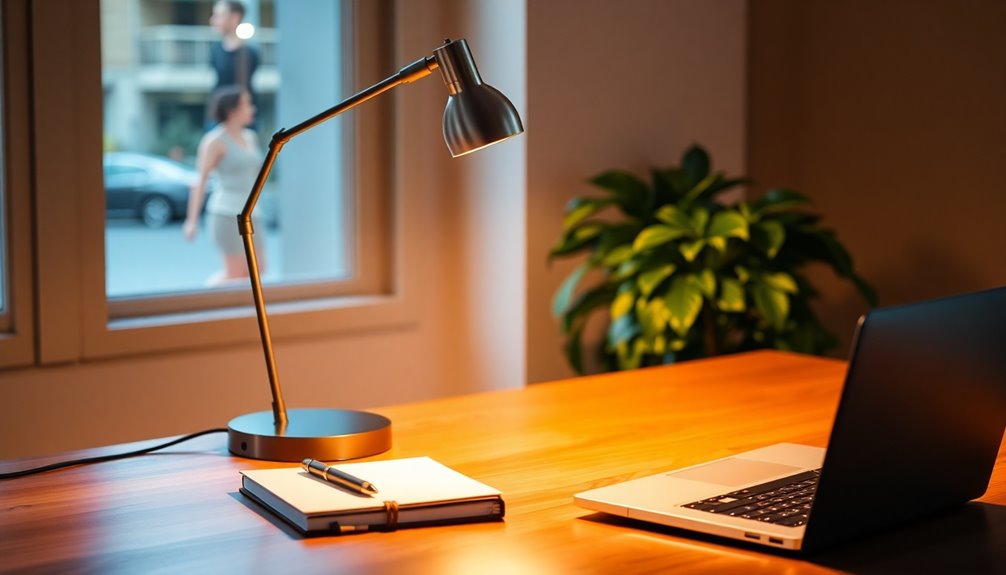

For a desk lamp for computer work, my best overall pick is the Motumen Dual-Head LED Desk Lamp: its dual heads, clamp, remote, and flexible gooseneck offer broad, adjustable coverage without using much desk space. The Micomlan LED Desk Lamp stands out for adjustable arms and ambient lighting, while the Lepro 9.5W Desk Lamp is a simpler choice with stated 750-lumen output and touch controls. The main tradeoff is between wide, carefully directed light and a compact lamp with fewer setup demands; clamp models also need a suitable desk edge. Read on for the full breakdown, buying advice, and picks for different workspaces.

Get kitchen staples and gadgets delivered free with Prime
- Fast, free delivery on millions of items
- Prime Video, Amazon Music and more included
- Member-only deals all year
Key Takeaways
Dual-head designs lead for broad work areas: Motumen and Micomlan offer more coverage options than single-head lamps, though their arms and clamps call for more setup space.
Desk space affects the choice as much as brightness: Clamp models such as Motumen, Micomlan, and Pzloz free the desktop, while the LEPOWER and Lepro options use a base.
Controls differ in convenience: Remote-equipped models can be adjusted from a seated position, while touch controls keep operation on the lamp itself.
Charging features are a recurring extra: Several models add USB ports, but buyers should check port placement and whether the lamp’s light coverage suits the desk before treating charging as a deciding feature.
More modes do not automatically mean better computer lighting: The LitONES offers 50 light modes, while a lamp with fewer settings may be easier to adjust quickly for routine screen work.
| Motumen Dual-Head LED Desk Lamp with Clamp, Remote, and Flexible Gooseneck | 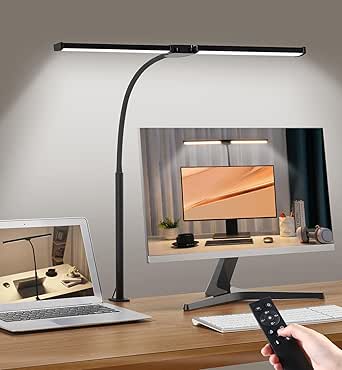 | Best for Wide Desk Coverage | Light sources: 2 LED heads | Color temperature: 5 modes, 3000K–6500K | Brightness: 5 levels, 20%–100% | VIEW ON AMAZON | See Our Full Breakdown |
| Micomlan LED Desk Lamp with Clamp, Adjustable Arms and Ambient Lighting | 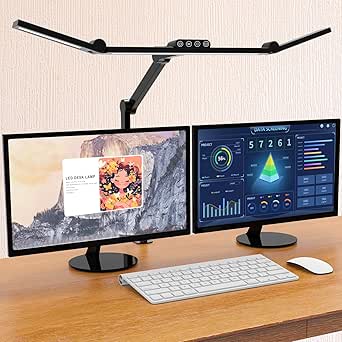 | Best for Adjustable Screen-Side Lighting | Power: 24 watts | Light sources: 3 LED light sources | Adjustable joints: 7 | VIEW ON AMAZON | See Our Full Breakdown |
| LED Desk Lamp with USB Ports, Touch Control, 5 Modes |  | Best for a Compact, Connected Desk | Light source: 1 LED light source | Power: 8 watts | Color modes: 5 | VIEW ON AMAZON | See Our Full Breakdown |
| Architect LED Desk Lamp with Dual Light, Adjustable Swing Arm, Clip-On Eye-Care, 4 CCT Modes & 5 Brightness Levels | 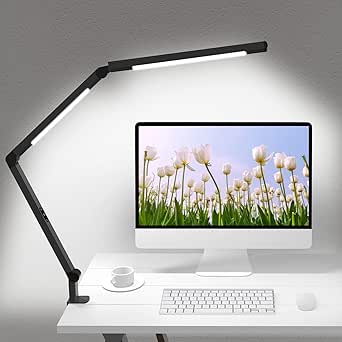 | Best for Color-Sensitive Computer Work | Light sources: 2 LED sources | Color rendering: CRI 95 | Color temperature: 4 modes | VIEW ON AMAZON | See Our Full Breakdown |
| LED Desk Lamp with Touch Control and USB Charging Port | 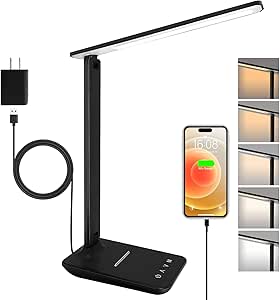 | Best for Simple, Flexible Everyday Use | Brightness: 500 lumens | Brightness levels: 5 | Color temperature: 5 options, 3000K–6000K | VIEW ON AMAZON | See Our Full Breakdown |
| LED Desk Lamp with Flexible Gooseneck and Clamp |  | Best for a Clear, Clamp-Mounted Work Surface | Brand: ZenBeam | Light source: LED | Light strip width: 16.5 inches | VIEW ON AMAZON | See Our Full Breakdown |
| LED Desk Lamp for Home Office with Base, 28.2″ Adjustable Gooseneck Swing Arm Ultra Bright Dimmable Architect Table Lamp |  | Best for Wide Desk Coverage | Light sources: 3 | Color temperature: 2700K–6500K | Dimming: Stepless, 1%–100% | VIEW ON AMAZON | See Our Full Breakdown |
| CHARYJOD Height-Adjustable LED Desk Lamp with Dual Heads and USB Adapter |  | Best for Flexible, Stowable Lighting | Light source: LED; 76 LED beads | Brightness: 10 levels | Color temperature: 3000K–6500K | VIEW ON AMAZON | See Our Full Breakdown |
| Lepro LED Desk Lamp, 9.5W, 750 Lumens, Touch Control, Black |  | Best Compact Everyday Pick | Brand: Lepro | Maximum brightness: 750 lumens | Wattage: 9.5 watts | VIEW ON AMAZON | See Our Full Breakdown |
| LEPOWER Adjustable Metal Desk Lamp |  | Best for a Simple Replaceable-Bulb Setup | Brand and model: LEPOWER UT2032 | Material: Metal | Bulb base and shape: E26; A19 | VIEW ON AMAZON | See Our Full Breakdown |
| SUPERDANNY Eye-Caring LED Clamp Desk Lamp | 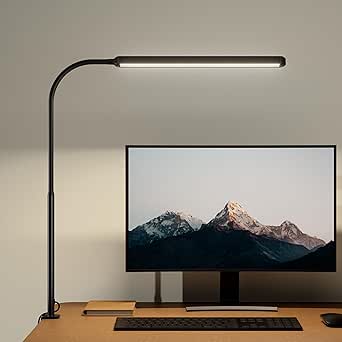 | Best for Broad, Simple Desk Coverage | Mounting: Clamp-on | Light head length: 16 inches | Brightness: 500 lumens | VIEW ON AMAZON | See Our Full Breakdown |
| Pzloz 24W Adjustable LED Desk Lamp with Clamp and Remote | 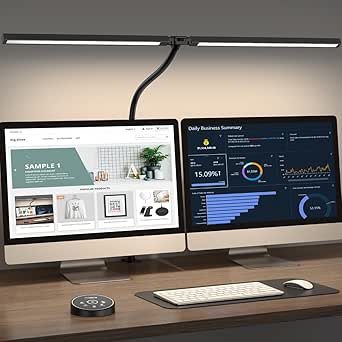 | Best for Remote-Controlled Adjustments | Power: 24 watts | Color temperatures: 3000K–5500K | Brightness: 5 levels, 20%–100% | VIEW ON AMAZON | See Our Full Breakdown |
| Airlonv LED Desk Lamp with Clamp, 17-Inch, Black |  | Best for Fine-Tuned Light Adjustment | Mounting: Clamp-on | Light bar width: 17 inches | LED count: 100 | VIEW ON AMAZON | See Our Full Breakdown |
| LitONES Tall LED Desk Lamp with 50 Light Modes |  | Best for Tall, Flexible Setups | Height range: 14–40 inches | Power: 15 watts | Lighting modes: 50 combinations | VIEW ON AMAZON | See Our Full Breakdown |
| 15W LED Desk Lamp with USB Charging Ports and Flexible Gooseneck | 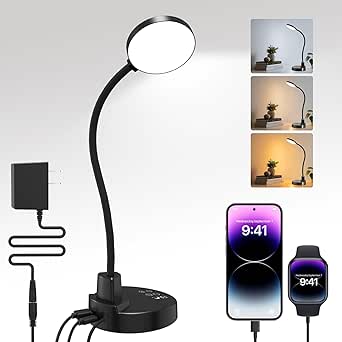 | Best for Charging Devices at the Desk | Power: 15 watts | Color temperatures: 3000K, 4500K, 6000K | Brightness: 5 levels | VIEW ON AMAZON | See Our Full Breakdown |
| desk lamp for computer work | Power | Color temperature | Brightness |
|---|---|---|---|
| Motumen Dual-Head LED Desk Lam | 14 watts | 5 modes, 3000K–6500K | 5 levels, 20%–100% |
| Micomlan LED Desk Lamp with Cl | 24 watts | 3000K–6500K | 5 levels and stepless dimming from 20% to 100% |
| LED Desk Lamp with USB Ports | 8 watts | — | 3 levels |
| Architect LED Desk Lamp with D | 12 watts | 4 modes | 5 levels per color mode |
| LED Desk Lamp with Touch Contr | 6 watts | 5 options, 3000K–6000K | 500 lumens |
| LED Desk Lamp with Flexible Go | 10 watts; 12V corded electric | 3000K–6800K | 5 levels with stepless dimming |
| LED Desk Lamp for Home Office | — | 2700K–6500K | — |
| CHARYJOD Height-Adjustable LED | — | 3000K–6500K | 10 levels |
| Lepro LED Desk Lamp | — | Adjustable, warm to cool | — |
| LEPOWER Adjustable Metal Desk | 110V AC corded electric | — | — |
| SUPERDANNY Eye-Caring LED Clam | 12 watts | — | 500 lumens |
| Pzloz 24W Adjustable LED Desk | 24 watts | — | 5 levels, 20%–100% |
| Airlonv LED Desk Lamp with Cla | 10 watts | 2700K–6500K | — |
| LitONES Tall LED Desk Lamp wit | 15 watts | 2700K–6500K | — |
| 15W LED Desk Lamp with USB Cha | 15 watts | — | 5 levels |
More Details on Our Top Picks
Motumen Dual-Head LED Desk Lamp with Clamp, Remote, and Flexible Gooseneck
For computer work spread across a broad desk, the Motumen’s two LED heads can light more area than the single-head LED Desk Lamp with USB Ports, Touch Control, 5 Modes. Its flexible gooseneck lets you aim the light around a monitor, keyboard, or paperwork, while the clamp keeps a base from taking up desk space. Five color temperatures and five brightness levels give you room to adjust the lighting for daytime work or evening reading, and the remote control is handy when the lamp is positioned behind a screen. The tradeoff is that it needs a compatible desk edge, and its two-head coverage may be more than a compact workstation needs. It also lacks the Micomlan Architect lamp’s stated CRI 95 rating for color-sensitive tasks.
Pros:- Two independently aimable light heads provide broader desk coverage than a single-head lamp.
- Five color temperatures and five brightness levels allow useful lighting adjustments.
- Clamp mounting preserves space for a keyboard, mouse, and other desk items.
- Remote control, memory function, and one-hour timer add convenient control options.
Cons:- Requires a desk edge that can accept its tabletop clamp.
- The two-head design can be excessive for a small desk or a single focused work area.
- No stated CRI rating for buyers doing color-sensitive screen-side work.
Best for: People with a wide computer desk who want adjustable, clamp-mounted light across a monitor, keyboard, and nearby paperwork.
Not ideal for: Users with a thick, rounded, or otherwise clamp-incompatible desk edge, or anyone who needs a compact lamp for a small workstation.
- Light sources:2 LED heads
- Color temperature:5 modes, 3000K–6500K
- Brightness:5 levels, 20%–100%
- Power:14 watts
- Controls:Remote and push button; remote range up to 32.8 ft (10 m)
- Mounting:Tabletop clamp
- Dimensions:22 × 4.5 × 29.5 in (D × W × H)
- Weight:1.7 pounds
- Additional features:Memory function and one-hour timer
Our verdict“Choose the Motumen if your priority is broad, adjustable lighting on a clamp-mounted desk; skip it if your workstation is compact or lacks a suitable edge.”
Micomlan LED Desk Lamp with Clamp, Adjustable Arms and Ambient Lighting
The Micomlan suits computer users who want to shape the light around a screen rather than simply add brightness from one direction. Its seven adjustable joints and three light bars offer more positioning options than the Motumen’s flexible two-head gooseneck, while the asymmetric main light is intended to reduce glare on the display. Ambient lighting can soften the contrast between a bright screen and a dim room, and the automatic brightness sensor may help adapt the lamp as surrounding light changes. With CRI above 90, it also has a stated color-rendering advantage over options without a listed CRI, such as the Motumen. The tradeoffs are its separate controls for main and auxiliary lights and a more involved arrangement than a simple touch-controlled lamp. Its tabletop mounting also differs from a clamp-based space-saving setup.
Pros:- Seven adjustable joints and three light bars support flexible desk coverage.
- Asymmetric main lighting is designed to limit glare on computer screens.
- Automatic brightness sensing and memory function add convenience as room lighting changes.
- CRI above 90 supports clearer color perception for detailed work.
Cons:- Main and auxiliary lights must be switched on or off separately.
- Tabletop mounting occupies desk space compared with clamp-mounted alternatives.
- Its many joints and lighting options may feel unnecessarily involved for basic computer work.
Best for: Desk workers who frequently adjust lighting around a monitor and want ambient light, flexible positioning, and a stated CRI above 90.
Not ideal for: People who want a simple one-control lamp or need a clamp-mounted fixture to keep the base off a crowded desk.
- Power:24 watts
- Light sources:3 LED light sources
- Adjustable joints:7
- Brightness:5 levels and stepless dimming from 20% to 100%
- Color temperature:3000K–6500K
- Color rendering:CRI >90
- Controls:Touch
- Mounting:Tabletop
- Features:Automatic light sensor, ambient lighting, and memory function
Our verdict“Pick the Micomlan for configurable screen-side and ambient lighting, but choose a simpler clamp lamp if you want fewer adjustments and a clear desk surface.”
LED Desk Lamp with USB Ports, Touch Control, 5 Modes
For a smaller computer setup, this lamp prioritizes useful desk functions over expansive illumination. Its foldable arm and swivel base make it easier to position beside a monitor or put away when the desk is needed for something else. Built-in USB-A and USB-C ports offer convenient charging access without reaching for a separate adapter, a feature neither the Motumen nor the Micomlan lists. Touch controls provide five color modes and three brightness levels, and the night-light setting gives it some bedside flexibility. The main compromise is output: at 8 watts, it may not suit users who need strong light across a large desk. Compared with the 500-lumen LED Desk Lamp with Touch Control and USB Charging Port, this model lists no lumen figure, so its brightness is harder to compare directly.
Pros:- Foldable arm and swivel base support compact placement and storage.
- USB-A and USB-C ports provide charging access at the desk.
- Touch controls offer five color modes and three brightness levels.
- Night-light setting adds a softer option for bedside use.
Cons:- Its 8-watt rating may not provide enough light for a large desk or demanding detailed work.
- No lumen output is provided, making brightness comparisons less clear.
- No built-in battery or wireless charging is listed.
Best for: Students and remote workers with a compact desk who want a foldable lamp and convenient USB-A and USB-C charging access.
Not ideal for: People who need high-output lighting across a wide workstation or want a stated lumen level to compare brightness.
- Light source:1 LED light source
- Power:8 watts
- Color modes:5
- Brightness:3 levels
- Controls:Touch
- Charging ports:USB-A and USB-C
- Adjustability:230° flexible arm and 90° swivel base
- Dimensions:14.92 × 4.45 × 1.85 in (D × W × H)
- Weight:1.4 pounds
Our verdict“Choose this lamp for a compact workstation where foldability and USB charging matter more than broad, high-output illumination.”
Architect LED Desk Lamp with Dual Light, Adjustable Swing Arm, Clip-On Eye-Care, 4 CCT Modes & 5 Brightness Levels
The defining reason to choose this Micomlan is its CRI 95 dual-LED lighting, which gives it the clearest stated advantage for work where color appearance matters. Its adjustable swing arm helps direct light toward notes or a keyboard without relying on a fixed beam, while four color temperatures and five brightness levels let you tune the setup around screen work. Compared with the Motumen, it offers a higher stated CRI and an all-aluminum body, but fewer listed color-temperature modes and no remote control. The clamp supports desk edges up to 2.5 inches thick, giving buyers a defined fit limit rather than universal placement. There is also no USB charging port, so this is a focused lighting choice rather than a desk-accessory hub.
Pros:- CRI 95 dual-LED source supports natural-looking color for detailed work.
- Adjustable swing arm helps direct light toward the working surface.
- Four color temperatures and five brightness levels provide useful lighting adjustments.
- Aluminum body and metal clamp offer a sturdy construction.
Cons:- Clamp fits desk edges only up to 2.5 inches thick.
- No USB charging port or wireless connectivity is listed.
- Four color-temperature modes offer fewer options than the Motumen’s five.
Best for: Designers, illustrators, and computer users who want a stated CRI 95 and an adjustable clamp lamp for color-aware work.
Not ideal for: People with desk edges thicker than 2.5 inches, or buyers who want USB charging, remote control, or wireless features built into the lamp.
- Light sources:2 LED sources
- Color rendering:CRI 95
- Color temperature:4 modes
- Brightness:5 levels per color mode
- Power:12 watts
- Clamp capacity:Desk edges up to 2.5 inches thick
- Materials:Aluminum body with metal clamp
- Controls:Touch
- Power source:Corded electric
Our verdict“Choose this Micomlan when color rendering and a sturdy adjustable clamp matter most, provided your desk edge fits its 2.5-inch limit.”
LED Desk Lamp with Touch Control and USB Charging Port
This is the straightforward choice for a computer desk where a small footprint and easy adjustment matter more than articulated arms or broad coverage. The lamp provides 500 lumens, five brightness levels, and five color temperatures, giving buyers a clearer brightness reference than the USB Ports, Touch Control, 5 Modes lamp, which lists no lumen figure. Its rotating head and foldable base make it adaptable to different desk positions, while a USB port can charge a device at 5V/1A. Compared with the Motumen, it takes up desk space rather than clamping to the edge and has a single light source, so it is less suited to illuminating a wide work surface. The 6-watt rating and modest USB output also make this a practical basic lamp, not a high-output charging station.
Pros:- Stated 500-lumen output makes brightness easier to compare.
- Five brightness levels and five color temperatures support different work conditions.
- Rotating head and foldable base help direct light while limiting storage bulk.
- Includes a 2-year manufacturer warranty.
Cons:- Single-head design offers less coverage than the Motumen’s dual heads.
- The 5V/1A USB port provides limited charging output.
- Base sits on the desktop instead of freeing space with clamp mounting.
Best for: Computer users who want a light, compact lamp with a stated 500-lumen output, adjustable color, and a basic USB charging port.
Not ideal for: People who need wide multi-head coverage, clamp mounting to free desk space, or faster USB charging than 5V/1A.
- Brightness:500 lumens
- Brightness levels:5
- Color temperature:5 options, 3000K–6000K
- Power:6 watts
- Controls:Touch
- USB output:5V/1A
- Lamp head rotation:180°
- Dimensions:11.5 × 4.8 × 13.3 in
- Warranty:2 years
Our verdict“Pick this lamp for a simple, compact desk setup with a specified 500-lumen output, but choose a dual-head clamp model for broader coverage.”
LED Desk Lamp with Flexible Gooseneck and Clamp
The ZenBeam LED Desk Lamp suits computer workers who want to free up desk space without giving up broad, adjustable light. Its 16.5-inch light strip can spread illumination across a keyboard and nearby work area, while the 27.5-inch gooseneck makes it easier to place the light above a monitor or shift it away from the screen. Five brightness levels, stepless dimming, and color settings from 3000K to 6800K provide more tuning than the simpler LEPOWER Adjustable Metal Desk Lamp, which relies on a separate E26 bulb. The tradeoff is mounting flexibility: the clamp only fits desktops up to 2.2 inches thick, and this lamp needs a corded power connection. It makes the most sense for a fixed home-office setup, not a desk that needs to stay clear of clamps or cords.
Pros:- Clamp mount keeps the lamp base off the work surface.
- Wide 16.5-inch light strip can cover more of a keyboard and desk than a narrow task light.
- Stepless dimming and five color temperatures allow fine adjustments for screen-side work.
- Memory function restores the previous settings.
Cons:- Clamp capacity is limited to desktops up to 2.2 inches wide.
- Requires a nearby outlet and cord management.
- Clamp mounting is less convenient to reposition than a tabletop lamp.
Best for: Computer workers with a fixed desk up to 2.2 inches thick who want adjustable, wide-area light without using tabletop space.
Not ideal for: People with thick or unusually shaped desktops, or anyone who needs a cordless lamp.
- Brand:ZenBeam
- Light source:LED
- Light strip width:16.5 inches
- Adjustable arm length:27.5 inches
- Brightness:5 levels with stepless dimming
- Color temperature:3000K–6800K
- Clamp capacity:Desktops up to 2.2 inches wide
- Power:10 watts; 12V corded electric
Our verdict“Choose the ZenBeam if you want broad, adjustable task lighting and your desk can accommodate its clamp.”
LED Desk Lamp for Home Office with Base, 28.2″ Adjustable Gooseneck Swing Arm Ultra Bright Dimmable Architect Table Lamp
This three-light-bar lamp is the lineup’s strongest fit for someone who needs to illuminate a broad computer workstation rather than just a keyboard. The independently controlled light bars rotate up to 270 degrees, so you can aim light across a wide desk or reduce spill onto a monitor. Stepless brightness control and a 2700K–6500K color range also offer finer adjustment than the Lepro LED Desk Lamp, which has five brightness levels and a more compact footprint. Its weighted, non-slip base avoids the desktop thickness limits of the clamp-mounted ZenBeam LED Desk Lamp, but it does take up desk space. The listed CRI of 90+ supports color-sensitive tasks, though the 24-watt design may be more lamp than a small desk needs. Choose it for coverage and control, not minimalism.
Pros:- Three independently controlled light bars can direct illumination across a wide work surface.
- Stepless dimming and 2700K–6500K color adjustment give precise control.
- A weighted, non-slip base avoids the desktop-fit restrictions of clamp lamps.
- CRI 90+ is useful for color-sensitive work alongside computer tasks.
Cons:- The tabletop base occupies desk space.
- The wide, multi-bar design may be excessive for a compact workstation.
- Requires corded power and is not suitable for humid or outdoor use.
Best for: People with wide computer desks who want to light a keyboard, paperwork, and multiple work zones from one tabletop lamp.
Not ideal for: Small-desk users who need to preserve surface area, or anyone seeking a clamp-mounted or cordless option.
- Light sources:3
- Color temperature:2700K–6500K
- Dimming:Stepless, 1%–100%
- Color rendering:CRI 90+
- Light-bar rotation:Up to 270°
- Mounting:Tabletop with weighted metal base
- Wattage:24 watts
- Control:Touch
Our verdict“Pick this model for a spacious desk that needs adjustable light across several work zones.”
CHARYJOD Height-Adjustable LED Desk Lamp with Dual Heads and USB Adapter
The CHARYJOD’s folding dual-head design gives computer workers two movable light sources without the reach of a large clamp arm. Its arms extend from 15.55 to 22.83 inches and can rotate laterally, making it easier to spread light over a laptop, keyboard, and notes or fold the lamp away when the desk is reclaimed. Ten brightness levels and five color temperatures offer more preset choices than the Lepro LED Desk Lamp, while the 45-minute timer is useful if the lamp stays on during a work break. Unlike the broad three-bar lamp in this roundup, this model is lighter and easier to store, but its tabletop base still uses desk space. Power matters: using the lamp while charging another device requires a 5V/3A-or-better adapter to avoid flicker.
Pros:- Dual heads can be positioned to spread light across a laptop and nearby notes.
- Folds for easier storage when desk space is needed for other work.
- Ten brightness levels and five color temperatures provide a broad choice of settings.
- 45-minute auto-off timer and 24-month warranty are useful practical extras.
Cons:- Needs a 5V/3A-or-better adapter to avoid flicker when lamp use and USB charging overlap.
- Its tabletop base still occupies desk space.
- The stated arm reach is shorter than the ZenBeam’s 27.5-inch adjustable arm.
Best for: Laptop users and students who want separately positionable light heads and a lamp that folds away between work sessions.
Not ideal for: Buyers who need a heavy-duty, permanently fixed lamp or expect reliable simultaneous lighting and USB charging from a lower-capacity adapter.
- Light source:LED; 76 LED beads
- Brightness:10 levels
- Color temperature:3000K–6500K
- Lighting modes:50
- Arm extension:15.55–22.83 inches
- Arm adjustment:180° lateral rotation; 90° vertical tilt
- Auto-off timer:45 minutes
- Power and mounting:Corded electric; tabletop
- Weight:1.7 pounds
Our verdict“Choose the CHARYJOD if you want adjustable dual-head light that can fold away after computer work.”
Lepro LED Desk Lamp, 9.5W, 750 Lumens, Touch Control, Black
For a computer worker who needs straightforward task lighting on a small desk, the Lepro LED Desk Lamp balances a compact tabletop footprint with five modes and five brightness levels. Its 750-lumen output and adjustable arm make it a practical choice for lighting a keyboard or paperwork without the larger footprint of the three-bar home-office lamp. The diffused, non-flickering light is another sensible fit for a screen-side workspace, though the listed controls provide preset combinations rather than the stepless dimming offered by that wider lamp. Compared with the LEPOWER Adjustable Metal Desk Lamp, Lepro includes an LED light source and several lighting settings, while LEPOWER gives buyers a replaceable E26 bulb format. This model still needs an outlet and is not water resistant, so it belongs on an indoor desk rather than a flexible or outdoor setup.
Pros:- Compact tabletop design suits smaller desks and bedside work areas.
- Five modes and five brightness levels provide 25 lighting combinations.
- 750-lumen output offers useful task lighting for a keyboard or paperwork.
- Diffused, non-flickering light is suited to screen-side work.
Cons:- Preset brightness levels do not offer the stepless dimming of the three-bar home-office lamp.
- Corded power limits placement to areas near an outlet.
- Not water resistant.
Best for: Computer users with limited desk space who want a compact, ready-to-use LED lamp with several light settings.
Not ideal for: Buyers who need broad multi-zone coverage, stepless dimming, or a lamp that can run without a power cord.
- Brand:Lepro
- Maximum brightness:750 lumens
- Wattage:9.5 watts
- Lighting modes:5
- Brightness levels:5
- Color temperature:Adjustable, warm to cool
- Height:15.1 inches
- Dimensions:13.4 × 3.9 × 15.1 inches
- Power and control:Corded electric; touch control
Our verdict“Pick the Lepro for compact, adjustable LED lighting when simple presets matter more than wide coverage.”
LEPOWER Adjustable Metal Desk Lamp
The LEPOWER is the straightforward choice for computer users who prefer a conventional lamp and want control over the bulb they install. Its E26 socket accepts an A19 bulb, unlike the integrated LED designs in the Lepro and CHARYJOD, so replacing the light source does not require replacing the whole lamp. The adjustable swing arm can direct light toward a keyboard or notebook, and the compact metal base and shade suit a basic study desk. That simplicity comes with fewer built-in conveniences: there are no listed brightness or color controls, so the bulb determines the available light and settings. Compared with the Lepro’s 25 lighting combinations, this model is less adaptable for changing work conditions. The bulb is not listed as included, so buyers should plan for a separate compatible bulb.
Pros:- E26 socket accepts a replaceable A19 bulb.
- Adjustable swing arm directs light toward a keyboard or work papers.
- Metal shade and base provide a conventional, sturdy tabletop format.
- Base-mounted push-button switch is easy to reach.
Cons:- Bulb is not listed as included, so a compatible bulb must be sourced separately.
- No built-in brightness or color-temperature controls are specified.
- Corded power and tabletop placement limit where it can be used.
Best for: Computer users who want a compact metal lamp with a replaceable standard bulb and a simple physical switch.
Not ideal for: Anyone who wants built-in dimming, adjustable color temperature, or a lamp ready to use without sourcing a bulb.
- Brand and model:LEPOWER UT2032
- Material:Metal
- Bulb base and shape:E26; A19
- Wattage:6 watts
- Switch:Base-mounted push button
- Power:110V AC corded electric
- Dimensions:6.69 × 5.7 × 14.17 inches
- Weight:1.9 pounds
- Warranty:12 months
Our verdict“Choose the LEPOWER if you value a replaceable E26 bulb and simple mechanics over built-in lighting presets.”
SUPERDANNY Eye-Caring LED Clamp Desk Lamp
The 16-inch light head spreads its 500 lumens across more of a desk than a narrow task light, which can help illuminate a keyboard and nearby notes together. Its three color temperatures and smooth 10%–100% dimming make it easier to adjust the light as work shifts from detailed tasks to a softer evening setting. Compared with the Airlonv, it offers fewer color-temperature choices and no stated ultra-low 1% dimming, but its setup is straightforward: clamp it down, then aim the 360° gooseneck. The touch controls are on the lamp head, keeping adjustments close at hand. The tradeoff is that it needs a clamp-friendly desk edge; unlike the ZAPLIT, it has no weighted base or USB charging ports.
Pros:- 16-inch light head spreads illumination across a wider work area
- Smooth dimming from 10% to 100% supports different screen and task conditions
- Three color temperatures offer warm, neutral, and cool settings
- 360° gooseneck makes it easy to redirect light around a monitor
Cons:- Clamp mounting limits placement to a suitable desk edge
- Three color temperatures provide fewer choices than the Airlonv’s adjustable 2700K–6500K range
Best for: Computer users with a clear, clamp-compatible desk edge who want broad keyboard-and-paper lighting and simple touch adjustments.
Not ideal for: People with thick, rounded, glass, or otherwise clamp-incompatible desks, or anyone who wants a freestanding lamp or built-in USB charging.
- Mounting:Clamp-on
- Light head length:16 inches
- Brightness:500 lumens
- LED count:54
- Color temperatures:3000K, 4500K, 6000K
- Dimming:10%–100%
- Maximum height:29 inches
- Power:12 watts
Our verdict“Choose the SUPERDANNY for broad, adjustable task lighting if your desk can take a clamp and you do not need extra charging features.”
Pzloz 24W Adjustable LED Desk Lamp with Clamp and Remote
The Pzloz suits a computer setup where the lamp sits beyond easy reach: its wireless remote lets you change brightness or color without leaning around a monitor. Five color temperatures, five brightness levels, and dedicated reading and night-light modes offer more preset choices than the SUPERDANNY, though the SUPERDANNY provides smooth rather than stepped dimming. The Pzloz’s adjustable arms and rotating head give you more ways to aim light across a large desk, while its CRI above 90 is useful when color distinction matters for documents or creative work. Its stated low-glare, flicker-free design is aimed at comfortable desk illumination, but this is still a corded lamp that needs a nearby outlet. The remote adds convenience, with the drawback that a lost or faulty remote could make adjustments less convenient.
Pros:- Wireless remote makes brightness and color changes accessible from the desk chair
- Five color temperatures and five brightness levels cover several work preferences
- Adjustable arms and a rotating head help direct light around monitors
- CRI above 90 supports clearer color distinction on desk materials
Cons:- Corded power requires an outlet within reach of the setup
- Brightness is offered in five levels rather than stepless adjustment
- Dependence on the remote can make routine changes less convenient if it is misplaced or stops working
Best for: Computer workers who place their lamp behind or beside a monitor and want to adjust settings from their chair.
Not ideal for: People who prefer a cordless setup, smooth dimming, or controls that remain fully usable without a separate remote.
- Power:24 watts
- Color temperatures:3000K–5500K
- Brightness:5 levels, 20%–100%
- Lighting modes:Reading and night light
- Arm adjustment:180° foldable swing arms
- Lamp head rotation:270°
- Controls:Wireless remote
- Power source:Corded electric
- Color rendering:CRI > 90
Our verdict“Pick the Pzloz if remote access and flexible aiming matter more to your computer setup than stepless dimming or a simpler control system.”
Airlonv LED Desk Lamp with Clamp, 17-Inch, Black
The Airlonv is a strong fit for computer work when you want to tune the light closely to both your screen and your desk tasks. Its 2700K–6500K color range spans warm to cool light, and stepless brightness from 1% to 100% gives finer control than the SUPERDANNY’s 10% minimum and three fixed color temperatures. The 17-inch light bar also covers a broad area, while the 360° gooseneck makes aiming it around a monitor straightforward. This model uses a clamp, so it frees desk surface but cannot serve desks without a compatible edge; the stated clamp capacity is up to 2.36 inches thick. Compared with the LitONES, it has a more space-saving clamp format, but less height flexibility and no stated memory function or timer.
Pros:- Stepless brightness adjustment from 1% to 100% allows fine control
- Wide 2700K–6500K color-temperature range suits varied screen and task preferences
- 17-inch light bar provides broad desk coverage
- Includes a 5V/3A power adapter
Cons:- Clamp fits desks only up to 2.36 inches thick
- AC power is required, limiting placement near desks without a convenient outlet
- Offers no stated timer or memory function
Best for: Computer users who want precise brightness and color adjustment, have a clamp-compatible desk up to 2.36 inches thick, and need light across a wide work area.
Not ideal for: People with desks outside the stated clamp capacity, those who need a freestanding base, or users who want a tall lamp with a memory function.
- Mounting:Clamp-on
- Light bar width:17 inches
- LED count:100
- Color temperature:2700K–6500K
- Brightness adjustment:1%–100%, stepless
- Gooseneck:360° adjustable
- Desk clamp capacity:Up to 2.36 inches thick
- Power:10 watts
- Adapter:5V/3A
Our verdict“Choose the Airlonv over the SUPERDANNY if precise, stepless light control matters most and your desk edge fits its clamp.”
LitONES Tall LED Desk Lamp with 50 Light Modes
The LitONES is the most height-flexible option in this group: it adjusts from 14 to 40 inches, making it useful when a desk lamp needs to clear a monitor or light a larger work surface from above. Its edge-lit diffusion is designed to spread soft illumination, and the CRI above 97.8 supports accurate color perception for design work and detailed documents. Fifty lighting combinations and memory recall offer more customization than the SUPERDANNY’s simpler three-temperature setup, though the many combinations may be more than a routine computer desk needs. Three adjustable joints help tailor the reach, but the tall structure and base take up more room than the clamp-mounted Airlonv. The 45-minute auto-off timer is a specific limit for users who want a longer timed session.
Pros:- Height adjusts from 14 to 40 inches to clear monitors and cover larger desks
- CRI above 97.8 supports color-sensitive computer work
- Fifty lighting combinations provide extensive color and brightness choices
- Memory function recalls the previous brightness and color-temperature settings
Cons:- Tall reach and freestanding base can occupy more desk space than the clamp-mounted Airlonv
- Auto-off timer is limited to 45 minutes
- Large range of settings may be unnecessary for users seeking simple daily adjustments
Best for: Computer workers with a large desk, a high monitor, or color-sensitive tasks who want a tall freestanding lamp with extensive settings.
Not ideal for: People with a compact desk, those who want a clamp-mounted lamp, or users who need a timer longer than 45 minutes.
- Height range:14–40 inches
- Power:15 watts
- Lighting modes:50 combinations
- Color temperature:2700K–6500K
- Brightness levels:10 levels, 3%–100%
- Color rendering:CRI > 97.8
- Adjustable joints:3
- Auto-off timer:45 minutes
- Warranty:36 months
Our verdict“Choose the LitONES if you need height and color flexibility for a spacious computer workstation, but skip it for a compact desk.”
15W LED Desk Lamp with USB Charging Ports and Flexible Gooseneck
The ZAPLIT combines everyday computer lighting with two output-only USB ports, so a phone and another small device can charge at the desk without needing separate ports on a computer. Its flexible 360° gooseneck and weighted, non-slip base make it easier to position than clamp-only options such as the SUPERDANNY, especially if the desk edge cannot accept a clamp. Three color temperatures and five brightness levels cover common work settings, though this is less precise than the Airlonv’s stepless dimming. A night-light mode and timers from 30 to 120 minutes add useful after-hours controls. The key limitation is that the USB ports do not fast-charge; the lamp also needs its AC adapter, so it does not remove cable clutter altogether.
Pros:- Two USB ports can charge devices simultaneously
- Weighted, non-slip base avoids the desk-edge restrictions of the SUPERDANNY clamp
- 360° flexible gooseneck helps aim light around a monitor
- Timer settings and a low-brightness night-light mode add useful routine controls
Cons:- USB-A and Type-C ports are output-only and do not support fast charging
- Requires the included AC adapter and a nearby outlet
- Five brightness levels offer less fine adjustment than the Airlonv’s stepless dimming
Best for: Computer users who want a freestanding, positionable task lamp and convenient charging for devices that do not need fast charging.
Not ideal for: People who need fast USB charging, want stepless brightness control, or are trying to minimize cables around the desk.
- Power:15 watts
- Color temperatures:3000K, 4500K, 6000K
- Brightness:5 levels
- Timer settings:30, 60, 90, and 120 minutes
- USB ports:USB-A and Type-C; output-only, no fast charging
- Power source:Corded electric
- Gooseneck:Flexible, 360°
- Base:Weighted, non-slip
- Materials:Plastic and silicone
Our verdict“Choose the ZAPLIT if a stable freestanding lamp and basic device charging matter more than fast charging or finely graduated brightness.”

How We Picked
I ranked these lamps around the needs of computer work: useful coverage across a keyboard and papers, flexible positioning, practical brightness and color controls, and a mounting style that fits a real desk. I also weighed the convenience of remotes, touch controls, USB charging, and included bases or clamps against the space and setup each design requires. Product names and stated features informed the comparison; I did not treat unlisted specifications as confirmed.
Ranking favors everyday fit over feature count. Motumen leads because its dual heads, clamp, remote, and flexible gooseneck address coverage, desk space, and seated adjustments in one package. Micomlan follows for adjustable arms and ambient lighting, while simpler touch-control and USB models suit buyers who value straightforward operation. Lamps with less information about coverage, adjustability, or controls rank lower—not because they are necessarily poor, but because their fit for computer work is harder to judge from the available details.
Factors to Consider When Choosing Desk Lamp For Computer Work
Choosing a work lamp is less about collecting the most settings and more about matching the light’s reach, controls, and footprint to your daily desk routine. I’d start with the shape and size of your work area, then check how the lamp can be positioned and whether its extras solve a real problem for you.
Match Light Coverage to Your Desk
A narrow laptop setup needs less reach than a desk shared by a monitor, keyboard, notebook, and paperwork. A dual-head lamp can spread light across a wider area, while one head may be easier to aim at a compact workstation. Check the lamp’s arm reach and head shape against your actual desk layout rather than assuming that a brighter lamp will cover more evenly. Avoid placing a strong source where it reflects directly off the monitor. If your desk serves both screen work and handwriting, prioritize light that can be directed toward the work surface without shining into your eyes.
Choose a Clamp or a Base Before You Buy
A clamp can free valuable desk space, but it needs an accessible, compatible edge and enough clearance to attach securely. Cable trays, thick lips, angled edges, or a desk pressed against a wall can make clamp placement awkward. A base avoids those fit questions and is easier to move between desks, though it takes up surface area and may compete with a keyboard or notebook. Think about where the lamp will sit when its arm is extended, not just where the clamp or base rests. For a shared workspace, a base may be the more flexible option even if a clamp looks tidier.
Prioritize Useful Adjustment Over a Long Feature List
For computer work, adjustment is valuable when it lets you redirect light as your task changes from reading a screen to writing on paper. Flexible goosenecks are easy to reposition, while articulated arms can give more controlled reach across a larger desk. Extra modes help only if you can find a comfortable setting without interrupting work. Before paying for numerous modes, check whether the lamp also offers the kind of dimming or color adjustment you will actually use. A simpler control scheme can be a better fit for buyers who want to set a light level and get on with their work.
Think About Glare Alongside Brightness
Light output alone does not tell you whether a lamp will feel comfortable beside a monitor. The angle of the head, its position relative to the screen, and reflections from glossy surfaces all affect the result. Place the source to illuminate the keyboard and papers without reflecting in the display or pointing straight at your face. If several people use the same desk, a wider adjustment range can make it easier to change the setup for different seating positions. When product details do not specify glare-control features, treat that as an unknown rather than assuming a lamp is glare-free.
Treat USB Ports as a Convenience, Not a Lighting Feature
USB charging can reduce cable clutter when a port sits within easy reach, but it does not tell you how well a lamp lights your work area. Check the listing for port type and charging details before planning to power a particular device; the product names alone may not answer those questions. Keep the lamp’s own power connection in mind too, since a desk can become more crowded if its cord crosses the main work zone. If you already have a nearby charger or dock, paying extra attention to lamp positioning may be more useful than choosing another charging point. Let lighting fit lead the decision, then treat USB access as a bonus.
Spend More Only for a Feature You Will Use
More complex lamps can make sense when broad coverage, multiple adjustment points, or remote operation solve a daily frustration. If you work in a small area and mainly need light for a keyboard, a straightforward touch-control or gooseneck lamp may be easier to live with. Extra modes are less compelling if you rarely change settings, and a large arm can feel like clutter on a shallow desk. Compare the included mounting style and controls against your habits before treating a long feature list as added value. The best fit is the lamp that handles your typical tasks without making setup or adjustment a chore.
Frequently Asked Questions
Should I choose a clamp lamp or one with a base for a computer desk?
Choose a clamp if your desk has a compatible edge and keeping the surface clear matters more than moving the lamp easily. A base is a safer bet when the desk edge is too thick, blocked, or shared with accessories that leave little room for a clamp. Clamp designs such as Motumen and Micomlan can preserve space, while base models like LEPOWER and Lepro avoid the need for edge clearance. Check how the arm will sit around your monitor before deciding. The mounting method should fit the desk, not just the product photo.
Is a dual-head lamp better for computer work than a single-head lamp?
A dual-head lamp can distribute light across a monitor-side work area, keyboard, and notes more readily than a single head. That wider coverage is most useful on a broad desk or when you often switch between screen work and paper tasks. It may be more lamp than a compact laptop setup needs, and extra arms can take up visual space. A single-head model can be a better fit when you mainly need light in one small zone. Match the number of heads to the width and variety of your tasks.
Do I need a remote, or are touch controls enough?
Touch controls are convenient when the lamp sits within easy reach and you prefer a simple adjustment point on the fixture. A remote can be useful if the lamp is mounted behind a monitor or its controls are awkward to reach while seated. The Motumen and Pzloz listings include a remote, while several other models specify touch control. A remote also adds another item to keep track of, so it may not help on a small, uncluttered desk. Choose based on where the lamp will sit and how often you change settings.
Will a USB charging port replace my desk charger?
Not necessarily: the product details need to specify the port type and charging capability before you can judge whether it suits a phone, tablet, or other device. A USB port can be handy for occasional charging, but it should not be assumed to match a dedicated charger’s performance. Check whether the port remains accessible after the lamp is positioned and whether its cable will cross your keyboard area. If you already use a dock or hub, the added port may offer little practical benefit. Choose the lamp for its lighting fit first.
Are more light modes worth choosing for a home-office lamp?
More modes can help if you regularly move between screen work, reading, and other tasks that call for different light settings. They can also make controls harder to use if changing modes takes several steps or the options are difficult to distinguish. The LitONES listing highlights 50 modes, while other lamps focus on simpler controls or adjustable arms. Do not assume a large mode count means better coverage or less screen glare. Look for settings you can adjust easily and a lamp position that keeps reflections off your display.
Conclusion
For most desk setups, I’d start with the Motumen Dual-Head LED Desk Lamp as the best overall choice: its clamp, remote, flexible gooseneck, and dual heads combine broad coverage with useful positioning options. The Lepro 9.5W Desk Lamp is my best value-style pick for buyers who want a simpler base-mounted lamp with stated 750-lumen output and touch controls, while the Micomlan LED Desk Lamp is the best premium-leaning option for people who want adjustable arms and ambient lighting. For beginners, I’d favor a straightforward touch-control model such as the LED Desk Lamp with USB Ports, Touch Control, 5 Modes over a more involved multi-arm setup. For a wide workspace, consider Motumen or Micomlan; for a clear desk surface, look at clamp models, and for a charging-focused setup, compare the USB-equipped options against your device needs before choosing. The best pick is the one that fits your desk and directs light where you work without adding controls or hardware you will not use.
Fall Picks
fall essentials
As an affiliate, we earn on qualifying purchases.