
TL;DR
In 2026, building your own AI workstation isn’t always cheaper — prebuilt systems can match or beat DIY on price, while offering faster deployment, validated thermals, and support. The decision depends on your priorities: cost, control, or convenience.
You’re ready to harness the power of AI—whether training models, running inference, or experimenting with new tech. But should you piece together your own workstation or buy a preconfigured system? The answer isn’t as straightforward as it used to be. Thanks to supply chain quirks and market shifts, prebuilt AI rigs now often match or even beat DIY prices.
This isn’t just about saving time or money. It’s about understanding what you get in return—performance, reliability, support, and upgrade paths. In this article, we’ll compare the real-world tradeoffs, so you can decide if pulling the parts yourself or trusting a vendor makes the most sense for your AI journey.
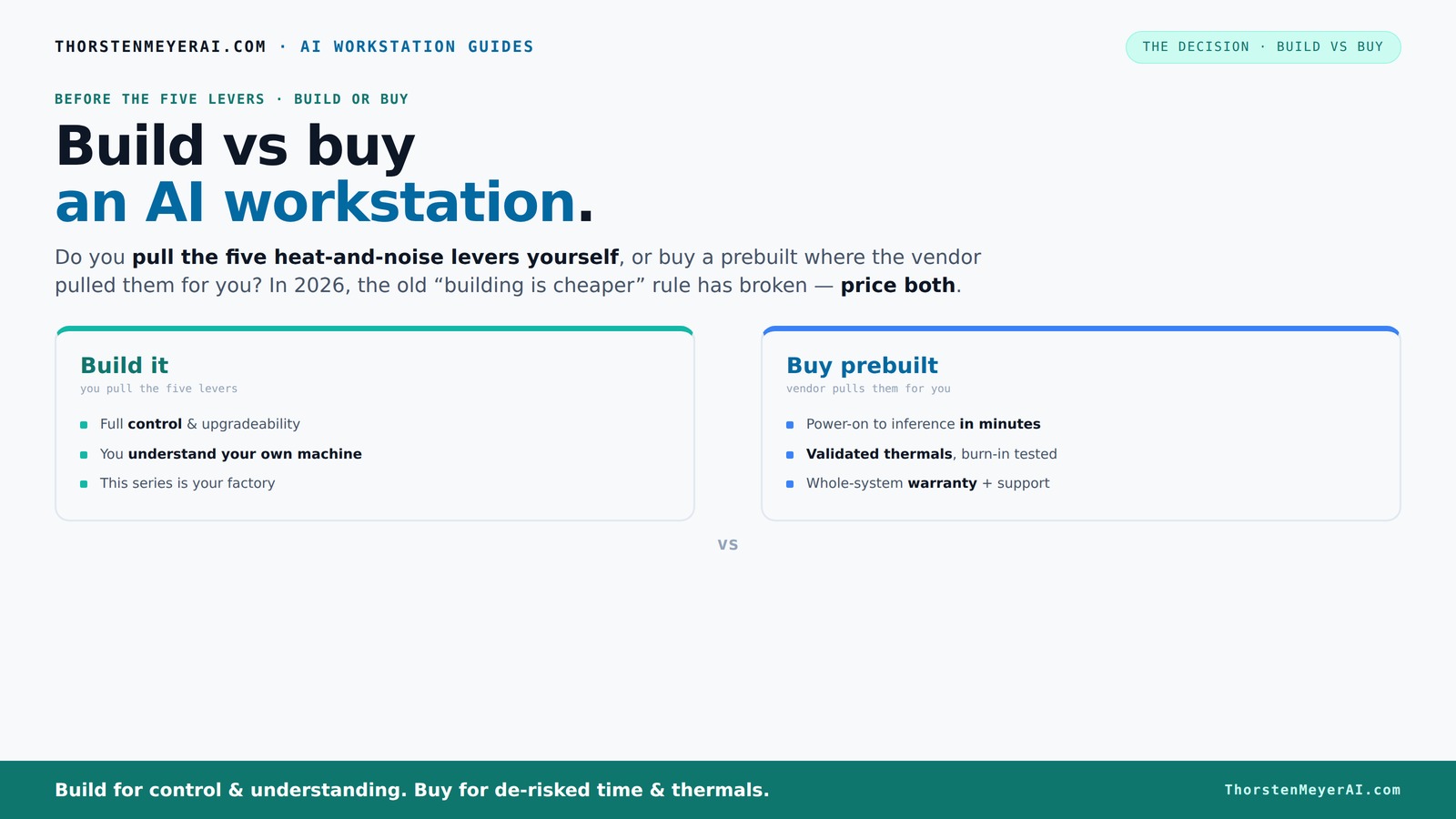
Build vs buy
an AI workstation.
The real question behind this whole series: do you pull the five heat-and-noise levers yourself, or buy a prebuilt where the vendor pulled them for you? And in 2026, the old “building is cheaper” rule has broken. Match your situation in Part 3.
Key Takeaways
- Market shifts in 2026 make prebuilt AI workstations often more cost-effective than DIY, especially with component shortages and bulk discounts.
- Thermal management is a core part of the build-vs-buy decision—prebuilts handle it at the factory, while DIYers tune their own for noise and temperature control.
- Performance per dollar depends heavily on your priorities—building allows custom allocation, but prebuilts often optimize thermals and support for similar or better results.
- Support and upgrade paths are crucial—prebuilts come with warranties, but proprietary parts can limit future expansion.
- Your choice hinges on time, technical skill, and future plans—there’s no one-size-fits-all answer in 2026.
As an affiliate, we earn on qualifying purchases.
Why 2026 Changes the Build-vs-Buy Game — You Might Be Surprised
Building a PC used to be cheaper, plain and simple. But in 2026, the market has flipped that script. Component shortages and inflated prices for DDR5 RAM, high-end GPUs, and SSDs mean that a DIY setup often costs more now—sometimes by hundreds of dollars—than a prebuilt system from a vendor with bulk purchasing power.
For example, a high-end GPU like the NVIDIA RTX 4090, which used to be a $1,600 splurge, can now push $2,000 or more on the retail market. Meanwhile, vendors like Lambda or Puget Systems have locked in discounts and optimized builds that can be cheaper than sourcing each part separately.
This shift means the traditional rule—build cheaper, buy faster—no longer applies across the board. For more insights, visit While Home. You need to do the math for your specific config, factoring in current prices and availability. Check out Build vs Buy a Prebuilt AI Workstation for detailed comparisons.
Who Pulls the Levers? Understanding the Thermal and Noise Battle
High-power AI workstations are like mini furnaces—they generate heat and noise when running at full throttle. You can learn more about quiet GPUs for local AI. The key to a quiet, cool machine lies in five levers: undervolting, cooling solutions, airflow, fan tuning, and placement.
With a prebuilt, the vendor pulls these levers for you—validating thermals, tuning fans, and even adding water-cooling if needed. Companies like BIZON advertise systems designed for "30% lower noise and temperature," saving you the hassle and guesswork.
Building it yourself means you become the engineer. You choose a quiet [GPU](https://thorstenmeyerai.com/quiet-gpus-local-ai/), pick a [cooler](https://thorstenmeyerai.com/quiet-cpu-coolers-ai-workstation/), and set up airflow with precision. It’s rewarding but requires knowledge and effort. The implications are significant: poor thermal management can lead to throttling—where the GPU or CPU reduces performance to stay cool—resulting in slower training times and increased hardware stress. Conversely, optimized thermals extend your hardware’s lifespan and ensure consistent performance, which is crucial for long AI training sessions or production environments.
Cost Comparison: Building vs Buying in 2026
| Factor | Build Your Own |
|---|---|
| Component Prices | Higher due to shortages and demand; parts can push $1,250+ for a mid-range setup. This increase can negate the cost advantage traditionally associated with DIY builds, forcing builders to weigh whether the time and effort are justified by savings. |
| Assembly & Testing | Time-consuming, often worth hundreds of dollars in your own labor. This hidden cost can be substantial if you factor in troubleshooting, cable management, and thermal tuning, which are critical for optimal performance and longevity. |
| Support & Warranty | No single warranty; relies on individual parts and troubleshooting skills. This means that if a component fails, diagnosing and replacing it can be complex, especially when dealing with hardware incompatibilities or proprietary parts. |
| Upgrade Flexibility | Very high—full control over parts and future upgrades. However, proprietary designs in some prebuilts can limit this flexibility, making future upgrades more costly or complicated. |
| Factor | Prebuilt System |
|---|---|
| Component Prices | Often comparable or better due to bulk buying; some models cost less than DIY. This bulk purchasing not only reduces prices but also ensures component compatibility and thermal validation, leading to more reliable operation. |
| Assembly & Testing | Included; ready to go immediately after setup. This saves hours or days, allowing you to start your AI projects sooner, which can be critical for time-sensitive workloads. |
| Support & Warranty | Includes support and warranty, reducing risk of downtime. This can be especially valuable in production environments where hardware failure is costly and support response times matter. |
| Upgrade Flexibility | Limited—proprietary parts can block future upgrades. While some prebuilts offer upgrade paths, many rely on non-standard components, making future expansion more difficult and potentially expensive. |
Performance Per Dollar: Who Wins Today?
Performance isn’t just about raw specs—it’s about value. Learn more at America Opinions. Building your own allows you to allocate more budget to the GPU, which is often the bottleneck for AI workloads. You can choose a high-VRAM card like the RTX 4090 or A100 for around $1,600, then pick budget-friendly CPU and other components. However, this approach can be risky if thermal management isn’t optimal, leading to throttling and inconsistent performance.
Prebuilts, on the other hand, often include a balanced system with a high-quality GPU and optimized cooling for around the same price or less. The advantage here is that vendors optimize thermals and power delivery at the factory, reducing the likelihood of throttling and hardware failures. This means you get more consistent performance and uptime, which directly translates into productivity gains and fewer surprises during demanding AI tasks.
In practice, a well-chosen prebuilt can outperform a DIY setup in sustained workloads because of validated thermals and better component integration. This balance often offers better performance per dollar, especially for those who lack the time or expertise to optimize thermal solutions themselves.
Support, Warranty and Future Upgrades — What's the Difference?
Prebuilts typically come with comprehensive support—up to 5 years in some cases—and a single warranty covering the whole system. This integrated support means that if something breaks, you contact the vendor directly, who handles repairs or replacements, often with quick turnaround times. Such support reduces downtime, which is critical in AI research or production environments where time is money.
DIY systems depend on individual component warranties and your troubleshooting skills. While this can be cost-effective if you’re technically savvy, it also introduces risk—if a critical component like the GPU fails, diagnosing the issue and coordinating repairs can delay your projects. Upgrading is usually easier with a custom build—more slots, better power delivery, and room for larger GPUs—while some prebuilts rely on proprietary parts that limit expansion, potentially increasing future costs and complexity. For ongoing AI workloads that demand high availability, support and upgradeability are vital considerations that can influence total ownership costs and operational stability.
Common Mistakes to Avoid When Choosing
Don’t assume a cheaper build always saves money. Market prices fluctuate, and component shortages can make DIY more expensive than expected, especially when factoring in time and potential troubleshooting. Overestimating your technical skills can lead to costly mistakes or hardware damage.
Beware of proprietary parts in prebuilts that limit upgrade options. Always check if you can swap out GPUs or add RAM later, as restrictive designs can lock you into a specific vendor or configuration, leading to higher costs down the line.
Overlooking thermal management can lead to throttling and hardware failures—plan your cooling, whether you build or buy. Poor airflow or inadequate cooling solutions can significantly reduce component lifespan and performance, especially under sustained AI workloads.
Finally, don’t forget to consider your own skills and time. If troubleshooting hardware issues is not your forte, a prebuilt system with robust support might save you from headaches and lost productivity.
Decision Checklist: Which Path Fits Your Needs?
- How quickly do you need to deploy? (Prebuilt wins for speed)
- Are you comfortable troubleshooting or customizing hardware? (Build wins)
- Is future upgradeability a priority? (Build wins, but watch for proprietary parts)
- How important is support and warranty? (Prebuilt wins)
- What’s your budget today and for future upgrades? (Market-dependent)
Frequently Asked Questions
Is it cheaper to build an AI workstation or buy one prebuilt?
It used to be. In 2026, component shortages and bulk buying have made prebuilt systems often cheaper or at least comparable in price. Always price your specific configuration before deciding.How much performance do I lose by buying prebuilt?
Most high-quality prebuilts are tuned for optimal performance, especially under sustained loads. They often include validated thermals, meaning less throttling and downtime.Can I upgrade a prebuilt AI workstation later?
Yes, but it varies. Some prebuilts use proprietary parts that limit expansion. Check if the system supports upgrades like additional RAM, larger GPUs, or better cooling before buying.What parts matter most for AI workloads?
GPU VRAM and compute power top the list, followed by RAM capacity, CPU performance, and fast storage. Prioritize these when building or selecting a system.Should I buy prebuilt if I need the machine immediately?
Absolutely. Prebuilts arrive ready to run, saving you days or weeks of sourcing, assembling, and troubleshooting.Conclusion
In a market where prebuilt systems can now match or beat DIY on price and reliability, the decision boils down to your priorities—speed and support or control and customization. For most AI practitioners, the convenience of a prebuilt system with validated thermals and warranty often outweighs DIY complexity.
Remember, technology evolves fast. Today’s best choice might shift tomorrow, so always compare current prices and consider your long-term needs. Your perfect AI rig is less about the build and more about how it fits your workflow.